Printing multipart paper
The multipart mode increases the print intensity on multipart forms.
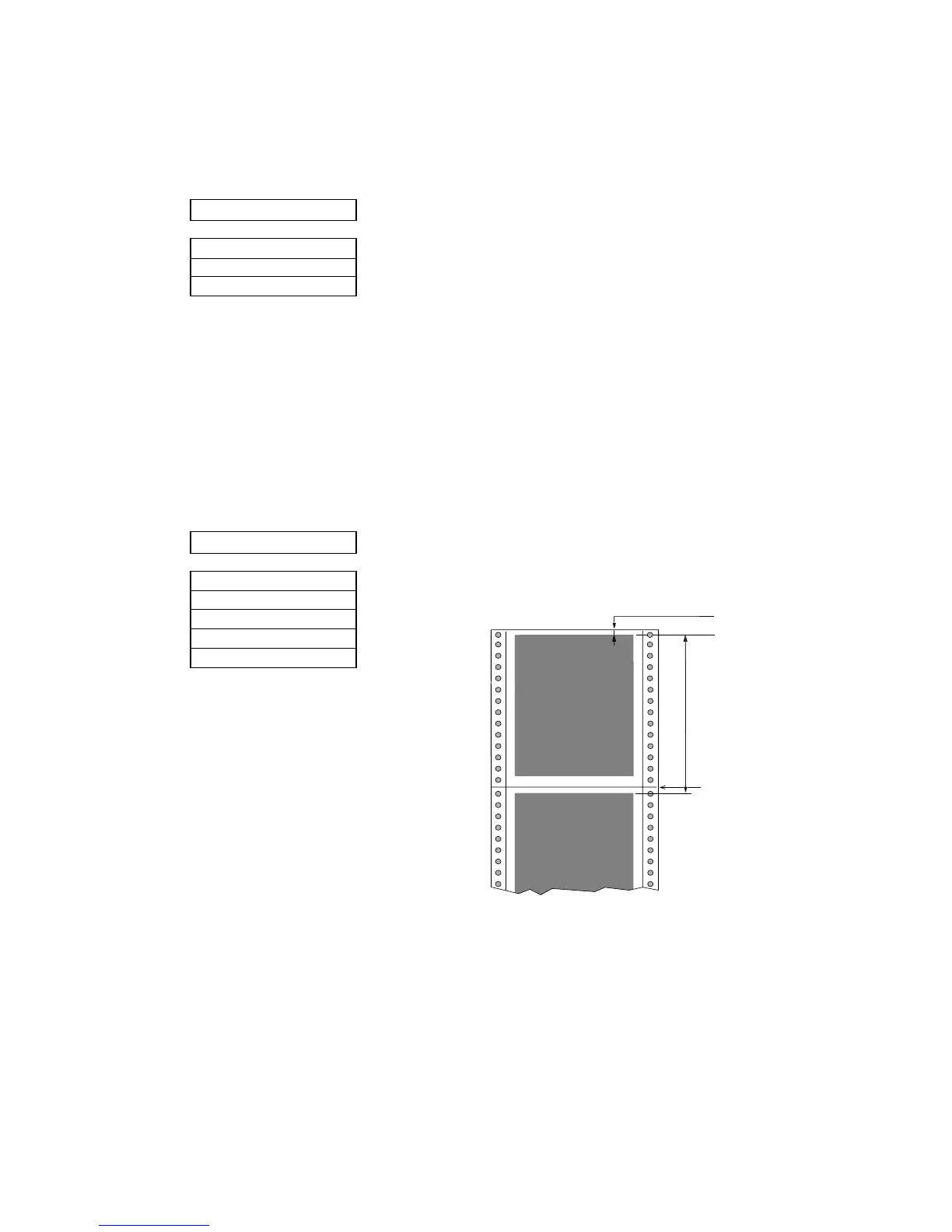
Selecting page length for fanfold paper
The page length selection varies from 2 inches to 16.5 inches with a 0.5 inch increment. The
page length is the same as the distance between two perforations.
The page length can be changed by software commands, but when the "Page Lock" option in
the extended setup options is set enabled, this page length selection becomes the fixed length
and software commands are ignored.
1 MULTIPART
COPY: NORMAL
COPY: DARK 1
COPY: DARK 2
2 PAGE FANFOLD
PAGE: 2 IN
PAGE: ...
PAGE: 11 IN
PAGE: ...
PAGE: 16.5IN
The followings will give an idea for proper selection:
........... Original + 5 copies
........... Original + 7 copies
........... Original + 8 copies
Default page length is 11 inches
Prepared by :: songsaluang(at)PTC
PROFESSIONAL HI - TECH CARD CO.,LTD. Tel 0-2906-5300 Fax 0-2906-5301 Email info@procard.co.th Website www.procard.co.th


 To Next Page