English
16
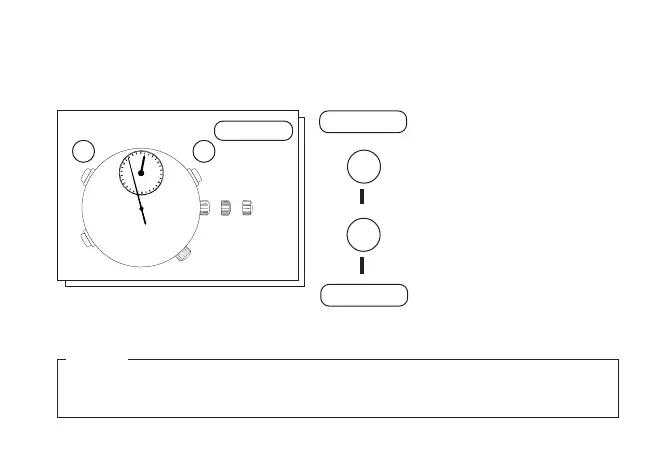
ADJUSTING THE HAND POSITION
▼
Pull out to
second click
.
Press repeatedly to reset
STOPWATCH minute hand to
the 12 o’clock position.
▼
Press repeatedly to reset
STOPWATCH second hand to
the 12 o’clock position.
▼
Push back in to
normal posi-
tion
.
● If STOPWATCH hands will not return to the 12 o’clock position when the stopwatch is
reset or when the battery is replaced with a new one, follow the procedure below.
1 Hands move quickly if the respective buttons are kept pressed.
2 After adjusting the hand position, set the main time.
MIN.
5
25
30
20
10
➠
➠
NOTES
CROWN 1
CROWN 1
A
BA
B
CROWN 1



 To Next Page