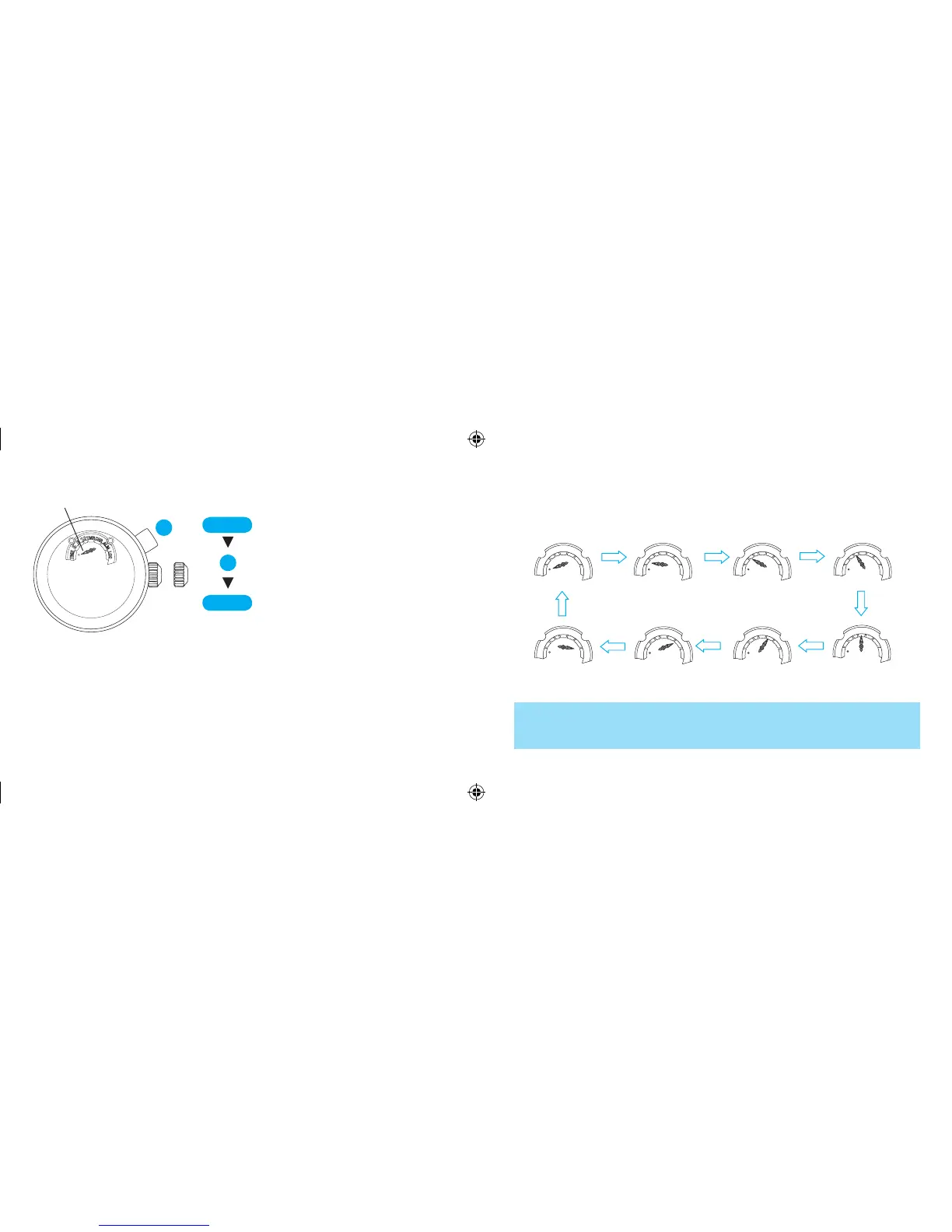
With each press of button A, the mode indicator turns in the following
order to show the selected mode.
TIME mode
YACHT TIMER mode
(5-minute timer)
YACHT TIMER mode
(6-minute timer)
YACHT TIMER mode
(10-minute timer)
TIMER mode
STOPWATCH modeALARM mode
LOCAL TIME mode
* While any one of the timers among 5-minute, 6-minute, 10-minue in the YACHT
TIMER mode or the timer in TIMER mode is measuring, you cannot use another
timer at the same time. Therefore, the mode indicator will not move to indicate
any other timer modes unless it is stopped.
* When the mode changes to the TIME mode from
the LOCAL TIME mode, the mode indicator turns
counterclockwise.
CROWN
A
CROWN
A
Pull out to first click.
Pr e ss t o se t t he mod e i n di ca t or
pointing at your desired mode.
Upon completion of selecting the
desired mode, push back in
to normal
position.
Mode indicator



 To Next Page