2.10 Handling the Battery Pack
A fully charged battery pack can print about 3000 lines (40 columns of
the number "8"). The battery discharges when it is not used for a long
time, therefore, immediately recharge the battery after purchase or after
long periods of storage.
Always use an SII specified battery pack.
NOTE
Inserting the Battery
Pack
1.
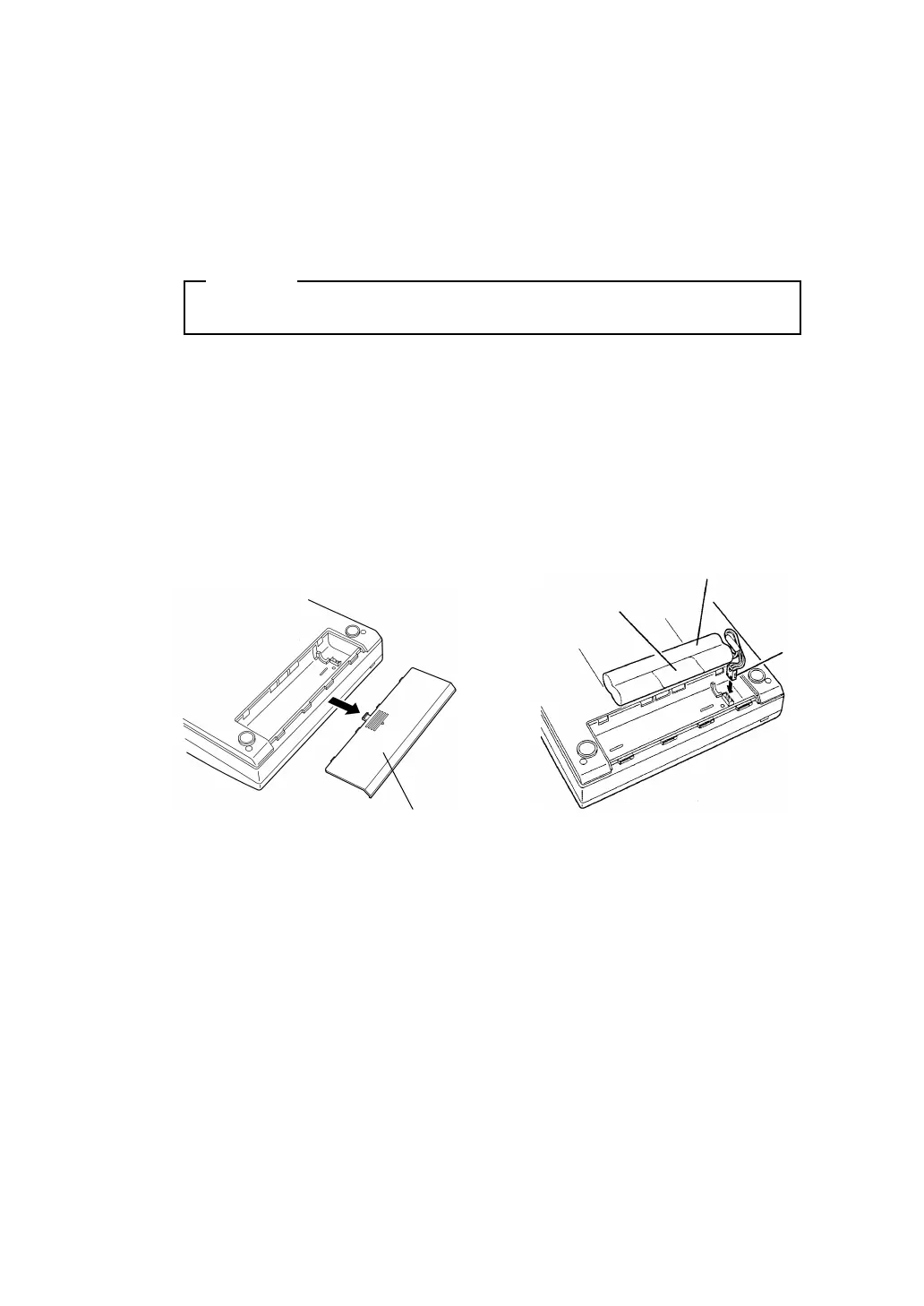
Turn the printer over and open the battery cover as shown in Figure
1.
2. Connect the battery pack as shown in Figure 2, turn it so the label is
visible, insert it into the printer, and close the battery cover.
3. Close the battery cover.
Battery pack
Connector
Label
Battery pack cover
Figure 1
Figure 2
- 29 -


 To Next Page