- 33 -
If an error occurs:
A or B:
1. Turn off the Power Switch.
2. Remove the foreign material.
3. Turn on the Power Switch.
C:
Use the printer at 0C to 40C (32F to 104F).
D:
Connect the AC adapter and turn on the Power Switch to charge the
battery pack.
3.4 Out-of-Paper Detection
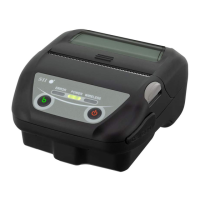
When the thermal paper runs out, the printer goes
OFFLINE and the
OFFLINE LED flashes. The printer cannot be set ONLINE while the
OFFLINE LED is flashing. When the thermal paper has been loaded, the
OFFLINE LED stops flashing, and stays lit. Press the ONLINE button to
print.
If the thermal paper runs out during printing, the printer will go
OFFLINE.
Load new paper and press
the ONLINE button to resume printing.


 To Next Page