English
20
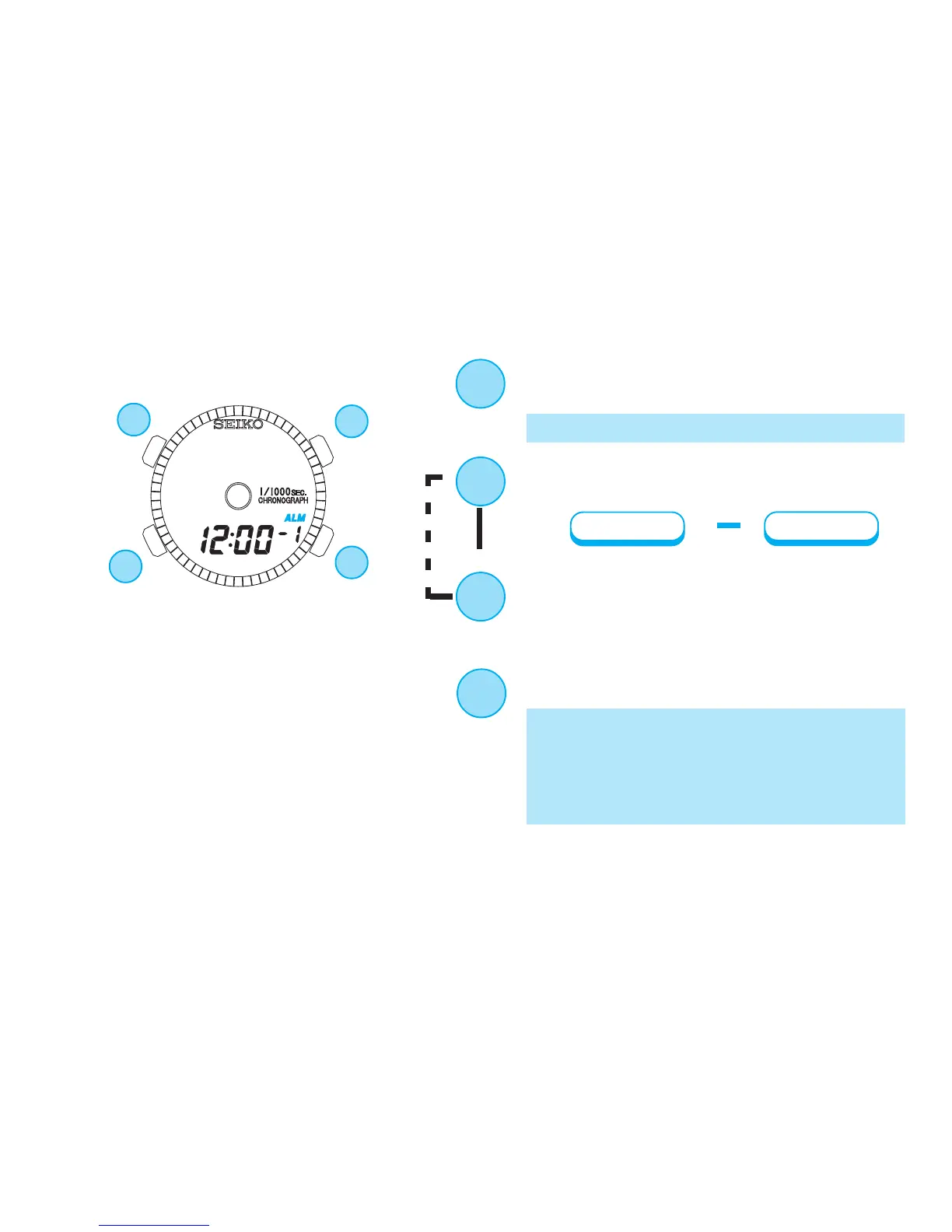
ALARM TIME SETTING
B
Hour
▲
Minute
▲
Press for 2 to 3 seconds to show ALARM
SETTING display.
(See *9 on page 23)
Press to select an item (flashing) to be
adjusted.
D
Press to adjust the selected item.
B
C
A
* The hour digits start flashing.
B
D
* The alarm mark is displayed and the alarm is
automatically engaged.
* If you want to use the alarm channel 2, press
Button D to select “ch” number, and follow
the above procedures.
Press to return to ALARM mode.
▲
▲
C
▲
▲


 To Next Page