English
6
ALM
ALARM
mode
➡
➡
RCLL
MEMORY
RECALL
mode
➡
CHR
STOPWATCH
mode
➡
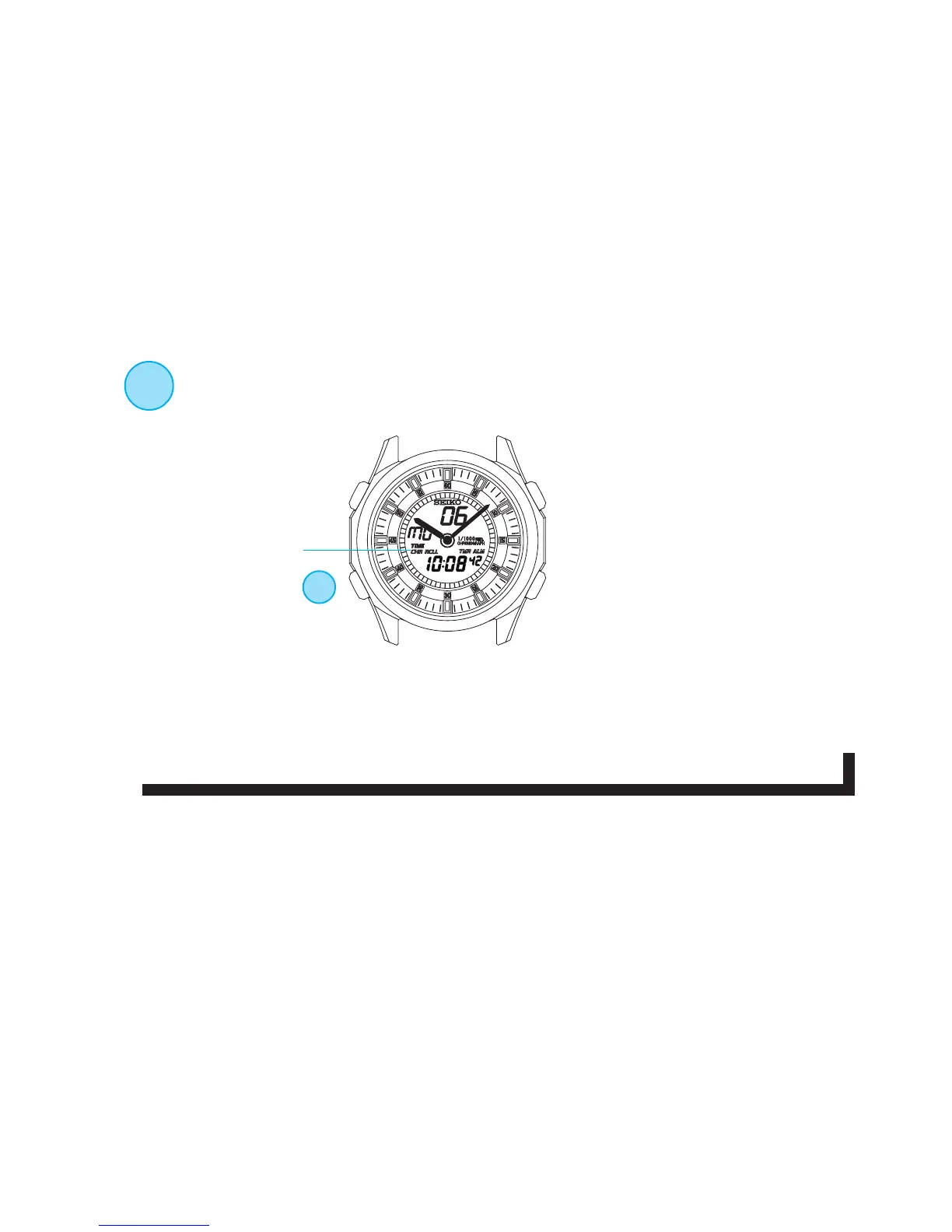
A
MODE CHANGE
With each press, the mode in the digital display changes in the
following order:
❋ : The flashing STOPWATCH/
TIMER indicator in any display
mode shows that the
stopwatch/timer is counting.
★ : When the hourly time signal/confirmation sound for button operation is switched on,
a beep sounds with each press of Button A.
Mode indicator
A
TIME
TIME/
CALENDAR
mode
★
TMR
TIMER
mode
➡


 To Next Page