6
English
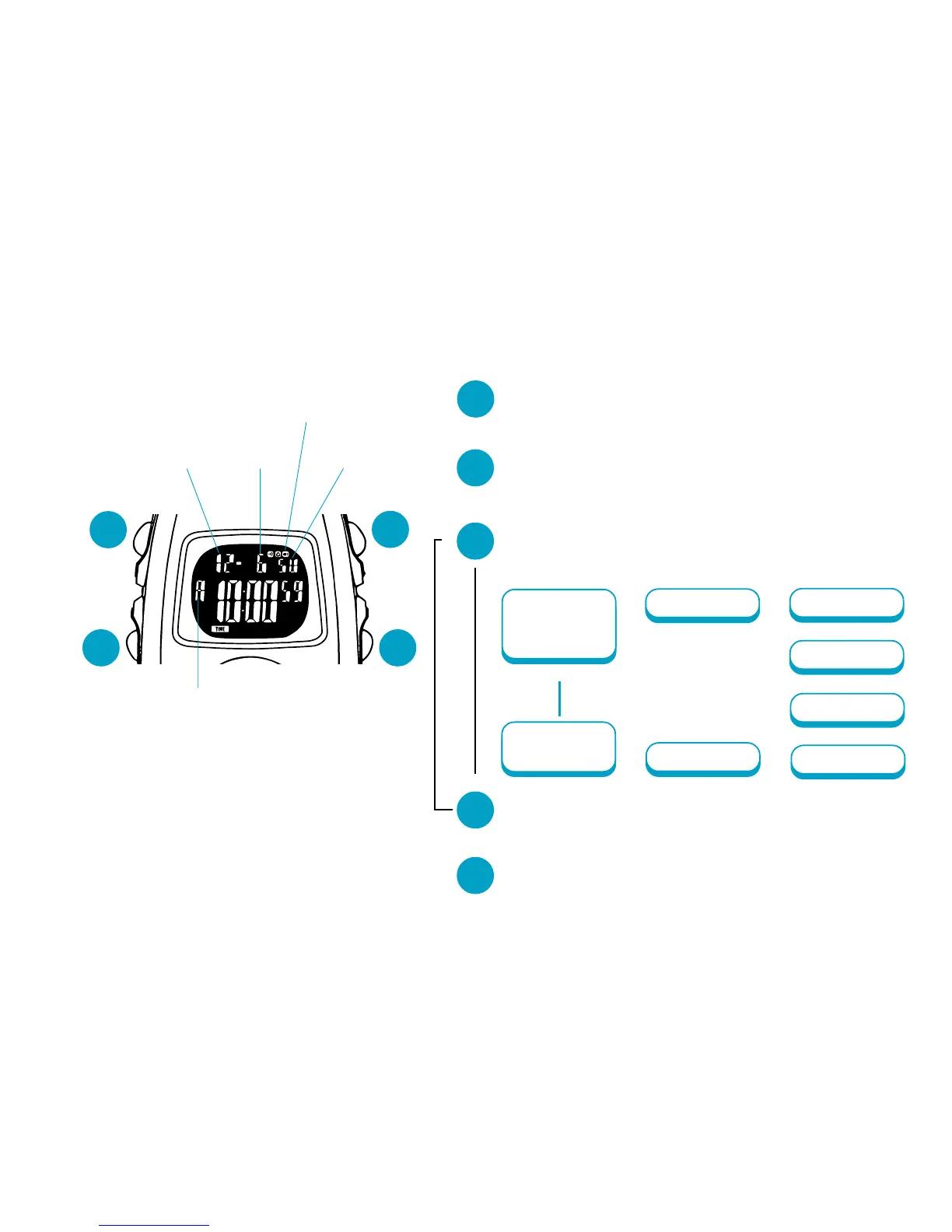
TIME/CALENDAR SETTING
Month
A
D
B
C
“A” (AM)/“P” (PM) mark
Day
Date
Auto illumination mark
B
Press and hold for 2 to 3 seconds to show
TIME/CALENDAR SETTING display.
▼
C
Press repeatedly to select the digits (flash-
ing) to be adjusted.
▲
▲
▲
Minutes
Seconds
Auto
illumination
on/off
Hour
Date
▲
Month
▲
▲
12-/24-hour
indication
Year
▲
▲
▼
D
▼
▼
B
*
*See the next page.
Press to return to TIME/CALENDAR mode.
Press to set the flashing digits.
▼
A
Press to show TIME/CALENDAR mode.



 To Next Page