English
English
16 17
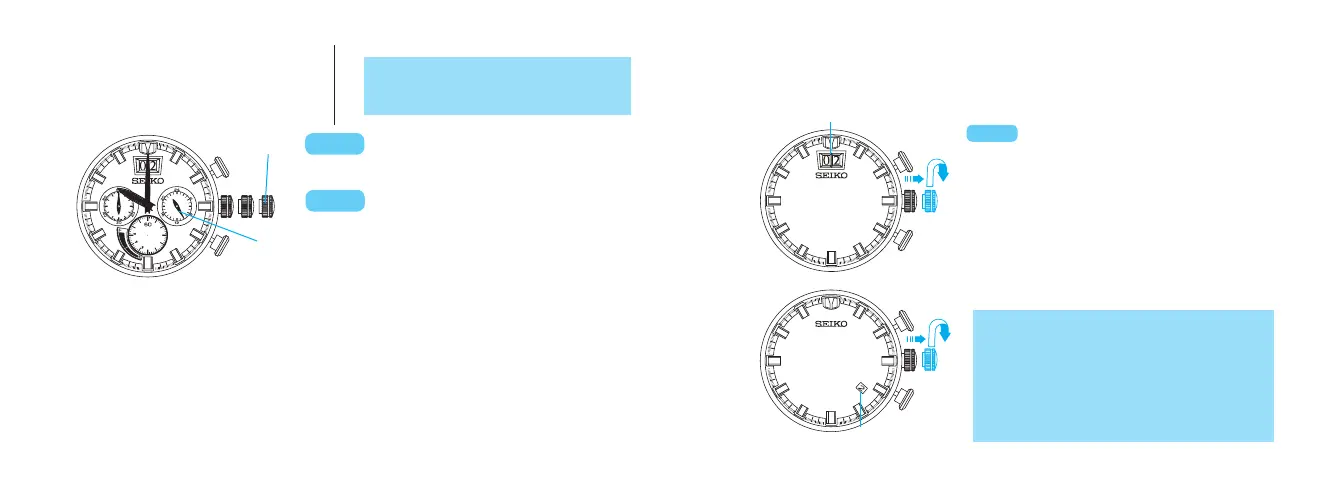
Turn to set the main dial time.
Second click
t
After time setting for the main dial
is complete, push into the normal
position.
t
•
This operation can be performed both in
the POWER RESERVE DISPLAY
mode
and STOPWATCH mode.
◆
At the moment when the main dial time indicates 12 o’clock midnight, the date
changes. When setting the time, make sure that AM/PM is set correctly.
◆
When setting the minute hand, first advance it 4 to 5 minutes ahead of the desired
time, and then turn it back to the exact time.
◆
The 24-hour hand moves correspondingly with the hour hand.
SETTING THE DATE
l
Before setting the date, be sure to set the main time.
Pull out to the first click.
t
Turn clockwise until the desired
date appears.
t
Push back into the normal
position.
Big date calendar
1. It is necessary to adjust the date at the end of
February and 30-day months.
2. Turn the crown gently and slowly to set the date,
especially when the tenth digit changes (only for
Cal. V194).
3. Do not set the date between 9:00 p.m. and 1:00 a.m.
Otherwise, the date may not change properly.
CROWN
Date
l
Cal. V194
l
Cal. V192
24-hour hand
CROWN
CROWN



 To Next Page