English
14
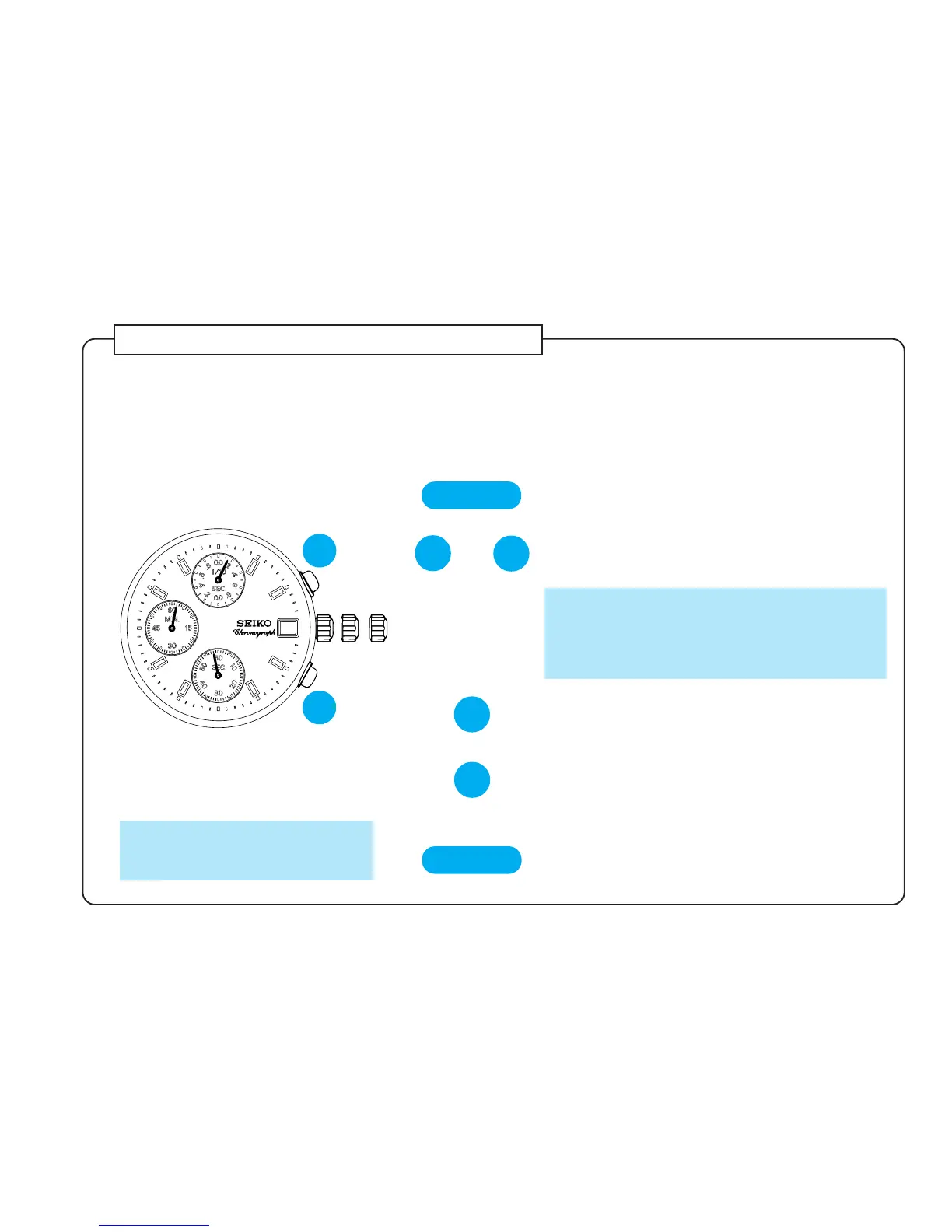
Necessary procedure after battery change
● When the battery is replaced with a new one, the information stored in the built-in IC does not
correspond with the time actually displayed. Before using the watch, therefore, be sure to reset the
circuit following the procedure below.
* In case any of the hands should move improperly, follow the procedure below to adjust the hand movement.
and
CROWN
▼
AB
Press and hold at the same time for 2
seconds.
* STOPWATCH second hand turns half a
revolution counterclockwise and then returns
to where it was, while STOPWATCH 1/10
second hand turns a full revolution clockwise
and stops.
Pull out to second click.
➠
A
B
** The hands move quickly if the
respective buttons are kept
pressed.
A
Press repeatedly to reset STOPWATCH
1/10 second hand to “0” position.
**
▼
B
Press repeatedly to reset STOPWATCH
second and minute hands to “0” posi-
tion.
**
▼
▼
CROWN
Turn to set the time, and then push
back in to normal position.


 To Next Page