English
6
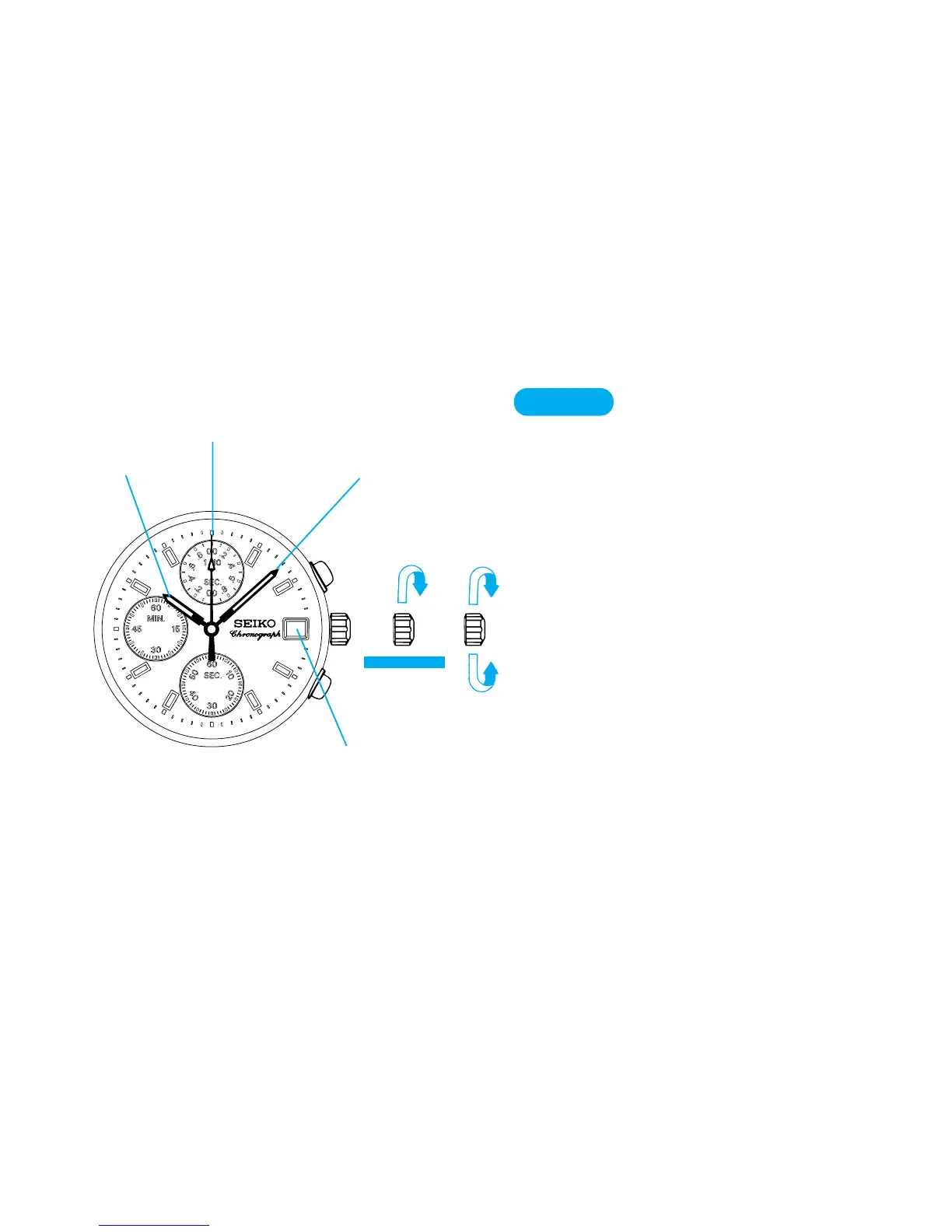
CROWN
Pull out to first click and turn clock-
wise until the previous day’s date
appears.
▼
Pull out to second click when Second
hand is at the 12 o’clock position.
▼
Turn clockwise until the desired date
appears.
▼
Set Hour and Minute hands.
▼
Push back in to normal position in
accordance with a time signal.
TIME/CALENDAR SETTING
Date
Minute hand
6
Second hand
Hour hand
➠➠
➠



 To Next Page