13
12
English
English
TIMER MODE
TIMER SETTING
l
The timer can be set from 10 seconds up to 99 hours, 59 minutes 59 seconds in one-
second increments.
l
The number of times the countdown is repeated can be set from 1 to 99 times.
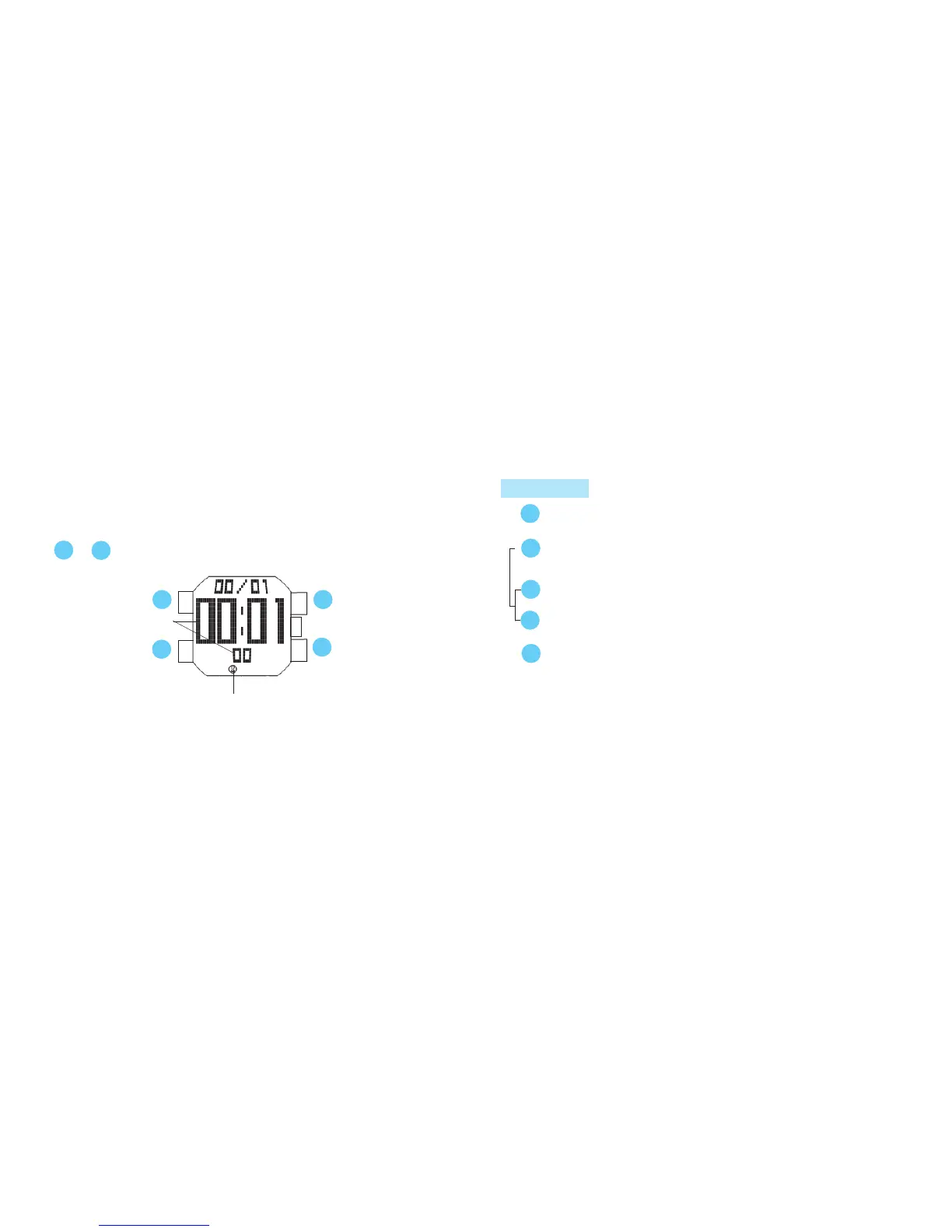
Press in MENU display to show TIMER mode.
B
D
C
A
Set time
A
B
or
Mode indicator
B
Press for 2 seconds to show TIMER SETTING display.
s
s
A
Press to select the digits to be adjusted (hour / minute /
second
/ number of times the countdown is repeated
).
s
Set the flashing digits. (Increasing digits)
Set the flashing digits. (Decreasing digits)
C
D
or
s
B
Return to TIMER mode.



 To Next Page