TCD02B0001SE 034070 130220
19
time respect to the travel time would generate unuseful output actions.
The parameter can be set in the range 3 .. 15 minutes.
The device leaves the factory with parameter set on 3 minutes.
“tMIn PAr 8.0” OUTPUT MINIMUM ACTIVATION TIME (relay)
The following parameter will only be visible if the parameter “tPI” has been set to “no”.
This parameter allows to reduce the number of the output activation and deactivation cycles, which is useful if the programmable thermostat controls
a pellet stove because it can’t be turned on and off on quick intervals.
When the relay output is turned on, because it is needed to warm up (or cool down) the environment, it won’t turn off until the set “Minimum time”
has expired.
This parameter can be set in the range no/10 .. 90 minutes, with 10 minutes steps.
The device has been set by default with this parameter to “no“ (option deactivated).
“dFLt PAr 9.0” SET DEFAULT DATA
With this parameter it is possible to reset user parameters in order to bring back all the parameters to the factory default.
Proceed as follows:
1. Select the parameter “dFLt“ and push the knob or the button “ “; the display shows the blinking writing “-dF-“, indicating that the operation
must be conrmed.
2. Push again the knob or the button “ “; the device automatically sets the default data.
On the contrary, wait 10 seconds without pushing any button; in this case the operation is cancelled.
3. The display shows the writing “OFF”.
4. The programmable thermostat is deactivated; in order to activate the programmable thermostat press the button “
“.
WARNING!
By resetting the default data, the user parameters and the hourly program of the freetime evo will be restored to factory values.
TROUBLESHOOTING
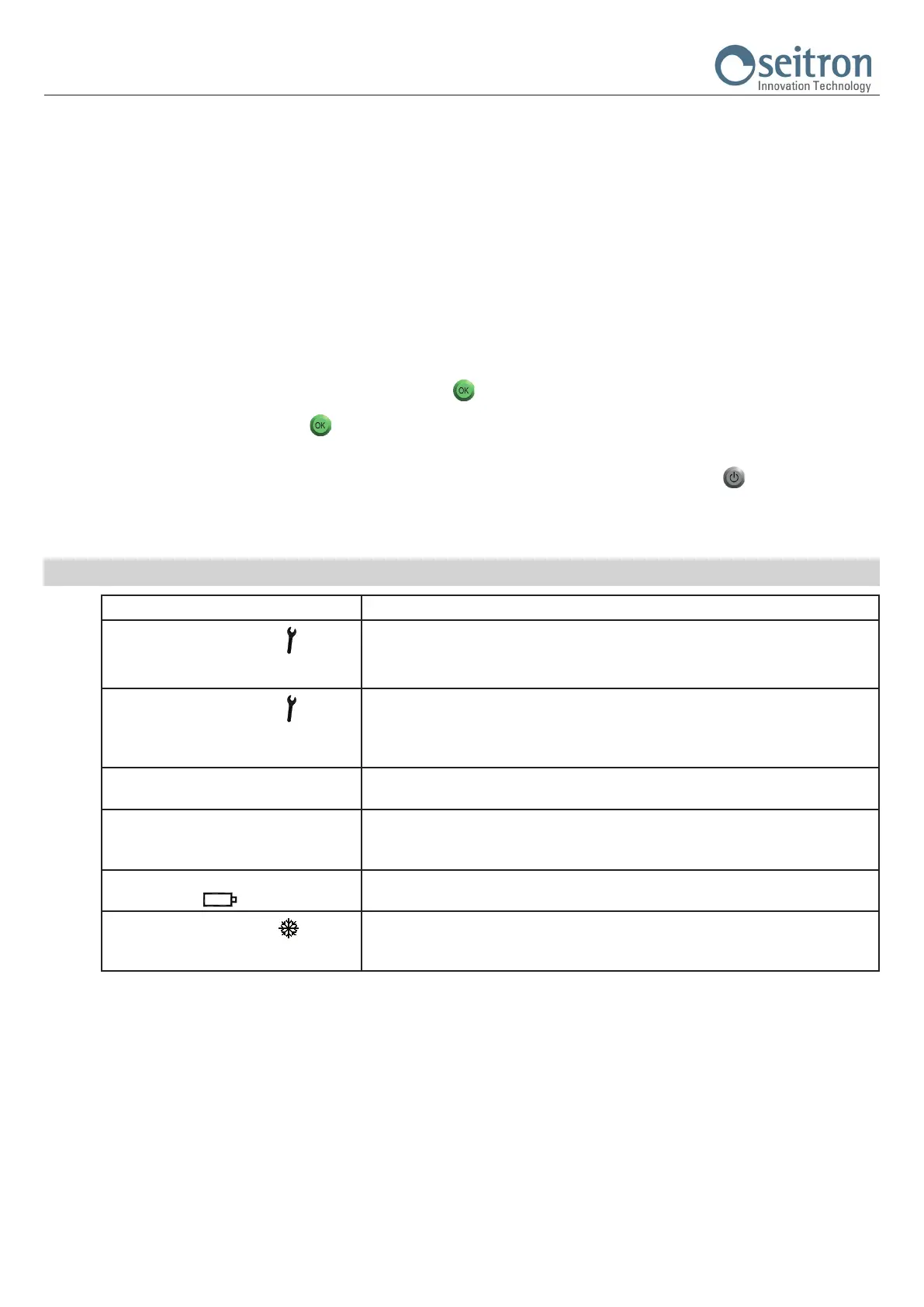
PROBLEM LIKELY CAUSES AND REMEDIES
The display shows the icon “ ” and the
following writings:
Snln alternated to Shrt or Open
The regulation of the room temperature is performed through the internal sensor (user parameter
“rEG PAr 4.0” is set to “Int”) and the internal sensor is faulty.
It is necessary to send the device to the assistance center.
The display shows the icon “
” and the
following writings:
SnEh alternated to Shrt or Open
The regulation of the room temperature is performed through the remote sensor (user parameter
“rEG PAr 4.0” is set to “EHt”), but this latter is not connected or it is faulty.
The freetime evo does not regulate the temperature and the output is set to normally closed.
Check the connections of the remote sensor or replace it with a new one.
The temperature of the remote sensor is not
shown on the display.
The regulation of the room temperature is performed through the internal sensor (user parameter
“rEG PAr 4.0” is set to “Int”) and the remote sensor has not been connected.
The display shows “Err”. The regulation of the room temperature is performed through the remote sensor (user parameter
“rEG PAr 4.0” is set to “EHt”), but the internal sensor is faulty.
It is necessary to send the device to the assistance center.
The display shows the blinking writing “bAtt”
and the symbol “
“.
The batteries are too low to allow the freetime evo to operate.
Replace the batteries.
The display shows the symbol “
“.
The freetime evo operation mode is cooling.
In order to resume the Heating mode, set the user parameter “H_C” to HEAt (see chapter “USER
PARAMETERS SETTINGS“).
WARNING
If an anomaly of the control probe occurs, the only action allowed is to entry the user parameters settings.


 To Next Page
 Loading...