TCD02B0001SE 034070 130220
6
INSERTING / REPLACING THE BATTERIES
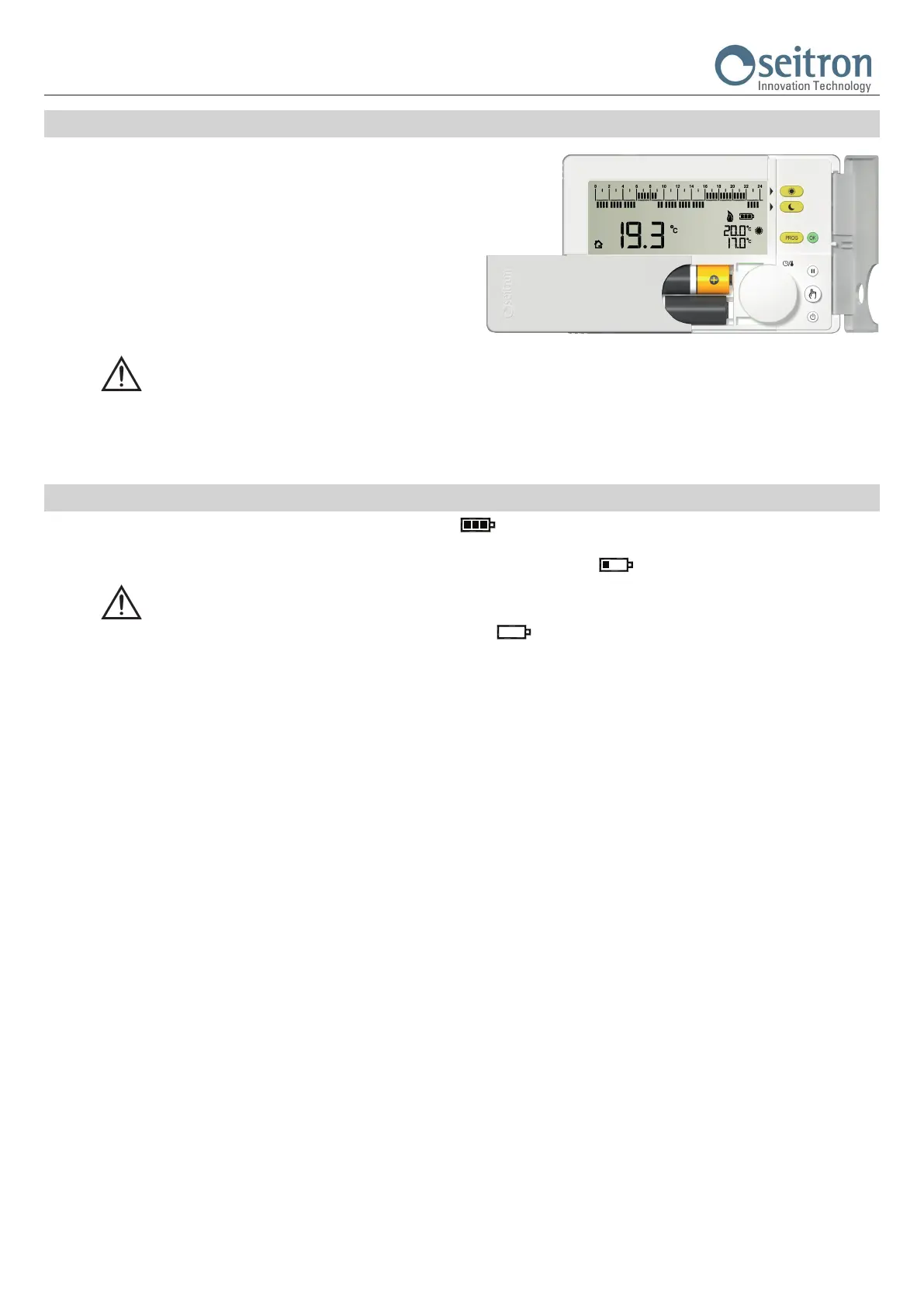
In order to insert / replace the batteries, proceed as follows:
1. Open the plastic slider placed on the front of the product, which
gives access to the battery compartment, sliding it to the left.
2. Extract the batteries, levering with a tool if needed.
3. Insert the new batteries, respecting the polarities indicated. The
batteries must be alkaline at 1.5V type AA.
4. Check the clock accuracy and, if necessary, adjust it.
WARNING
- If the batteries need to be replaced, dispose them in the special containers for recycling.
- Replace the batteries within about 5 minutes in order not to lose the set time; keep in mind that the clock stops at the moment when the
batteries are removed and so it must be eventually updated.
BATTERY LEVEL
The display always shows the battery life status with the symbol “ ”.
The battery life is full if inside the symbol all the three indicators are on.
On the contrary, the batteries are low and must be replaced if the display shows the symbol “ “ (with only one bar left).
WARNING
- If the display shows the blinking writing “bAtt“ and the symbol “ “ (completely empty), it means that the battery power is too
low to allow the device to work properly and the output will always be off.
In this case the freetime evo won’t regulate the temperature and the time schedule, the time and the detected room temperature won’t
be displayed.


 To Next Page