TCD02B0001SE 034070 130220
13
MANUAL OPERATION MODE
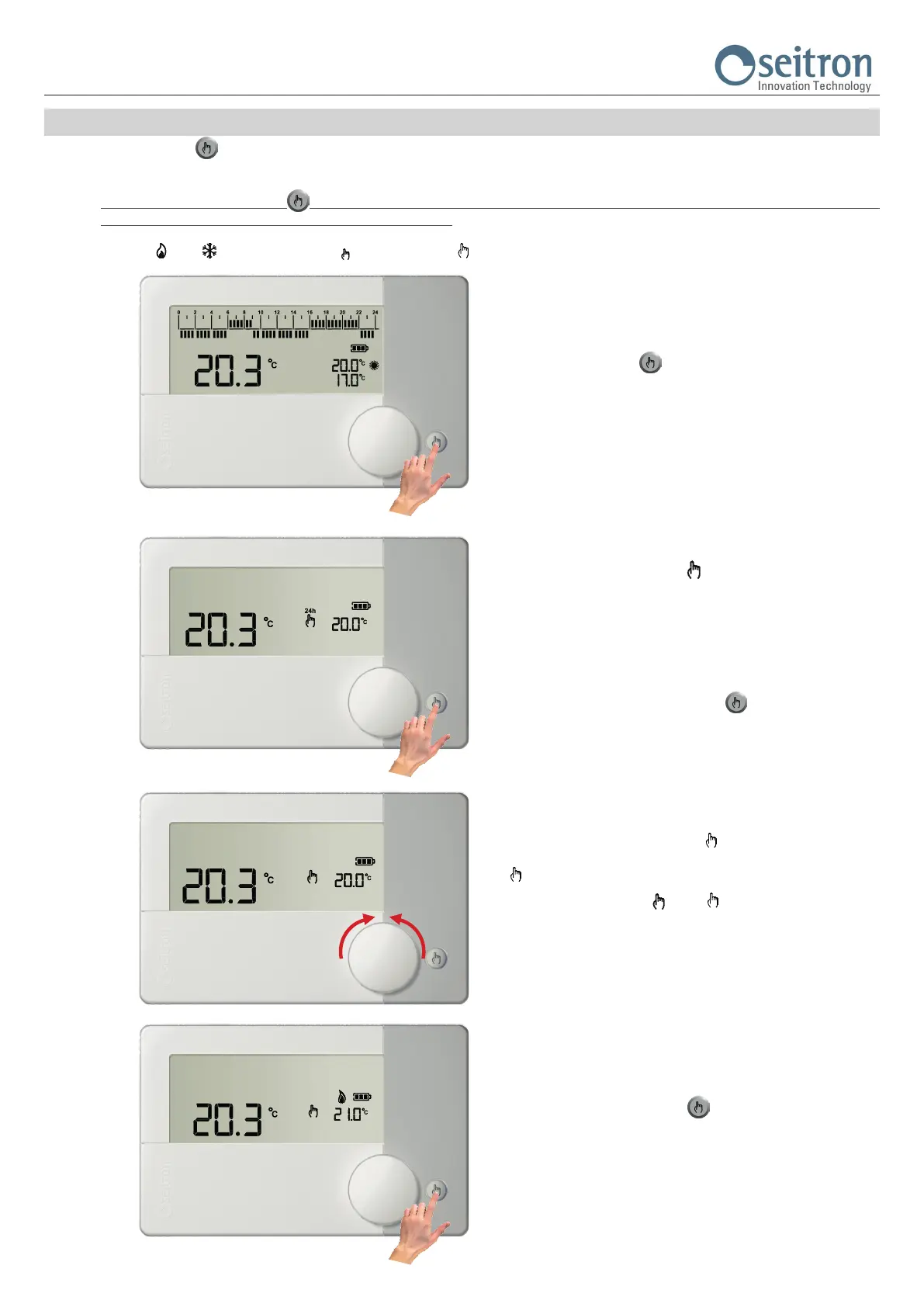
With the button “ “, the freetime evo can be forced to regulate the room temperature independently from the time program.
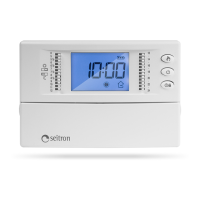
On manual operation mode the temperature regulation (Set-Point) can be modied at any time by turning the knob and it is independent from the Comfort
and Economy temperature of the time program.
By repeatedly pressing the button “ “, it alternates between Automatic (normal operation) and Manual 24 hours, from Manual 24 hours to Manual
Permanent, and from Manual Permanent it goes back to Automatic.
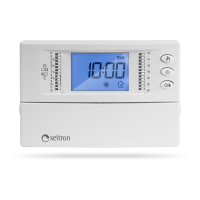
During manual operation mode the display will not show the time schedule, instead it will only show the room temperature, the relay status (possible
symbols “ “ or “ “ are lit), the symbol “
“ (manual 24h) or “ “ (manual permanent) and the “Manual“ Set-Point temperature.
1.
By pressing the button “
“ one time the mode Manual 24 hours
is activated.
2.
The display shows the symbol “
“ (manual 24h); the freetime evo
remains on manual until 23:59 of the current day, after which it returns
to Automatic mode.
Note: If Manual 24h mode is active and the Vacation mode is activated,
when the Vacation setting expires and if it is past the 23.59, the
programmable thermostat will go back to Automatic operation following
the set time schedule.
By pushing a second time the button “
“ the operation is forced
on Manual Permanent.
3.
The display shows the symbol “
“ (manual permanent); the
freetime evo regulates the temperature on manual mode until the button
“ “ is pushed again.
During manual operation (“
“ or “ “) by turning the knob it is
possible to set the desired “manual” Set-point temperature, inside the
range 5.0 .. 40°C.
4.
Pressing the button once again “
“ the freetime evo goes back to
automatic operation mode (normal operation according to the set time
schedule).


 To Next Page