3.0___SETTINGS AND OPERATION
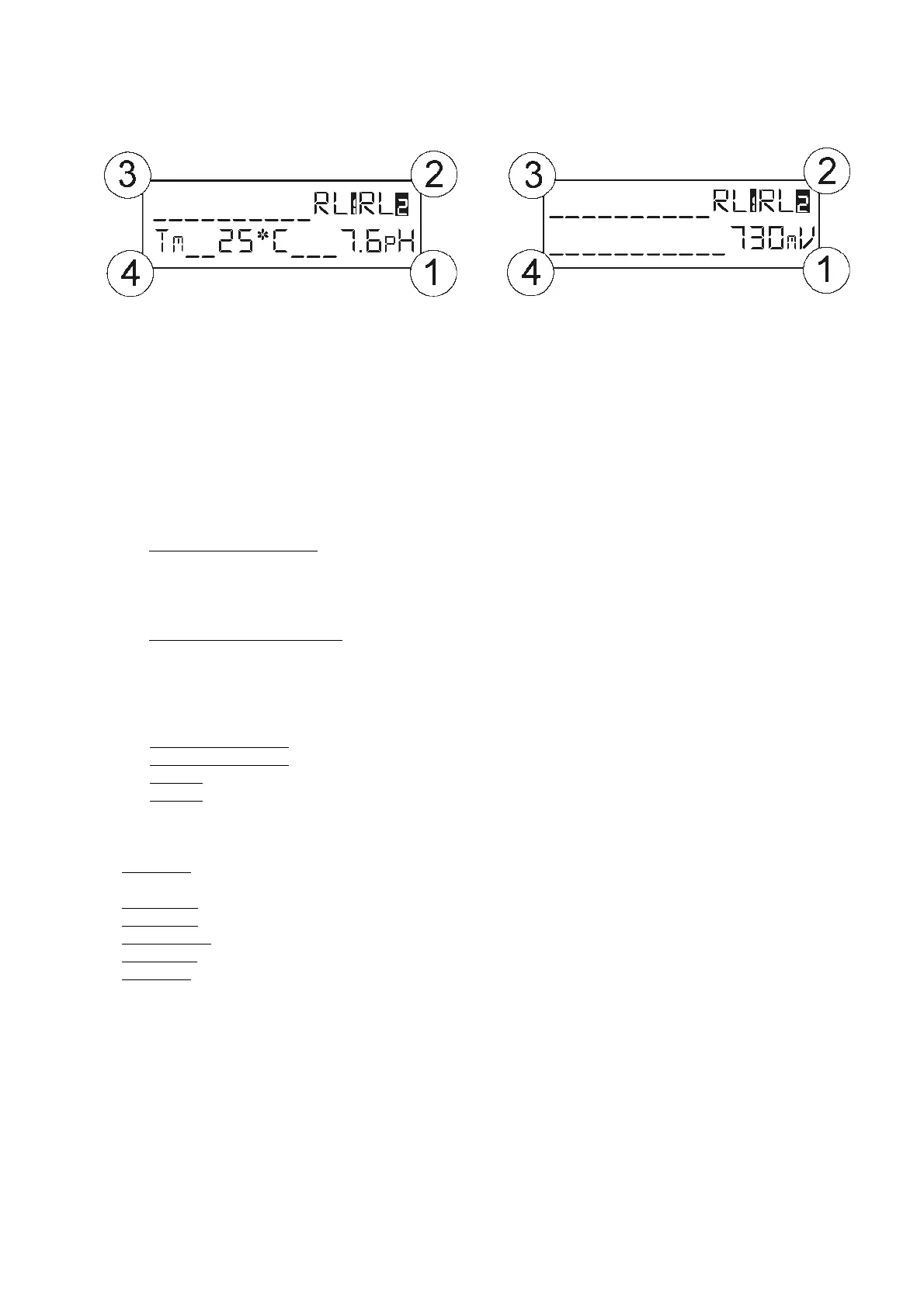
= Relay 1 and 2 status display. If the relay’s number is blinking, the contact has changed status.
= Manual or automatic temperature display for pH measurement; this area is empty for Redox ver
= Immediate exit from menu,
= Immediate calibration access
Probe calibration function
key for 3 seconds [press Esc to exit])
Immerse the probe in the 7 pH solution and press Enter.
calibration. When finished, probe accuracy is shown as a percentage
Immerse the probe in the 4 pH or 9.22 pH solution and press Enter.
calibration. When finished, probe accuracy is shown as a percentage.
Calibrating the Redox probe
Immerse the probe in the 465 mV solution and press Enter.
calibration. When finished, probe accuracy is shown as a percentage.
Mode Function (quick programming menu)
key for 1 second. Select using the up and down
(Press the Enter key and adjust the va
lue using the up and down keys)
(Press the Enter key and adjust the value using the up and down keys)
(Press the Enter key to change the relay’s status)
(Press the Enter key to change the relay’s status)
rument exits automatically after 10 seconds.
Value settings menu function
Available in English (UK), French (FR), Spanish (ES), German (DE), Italian (IT)
r control functions via relay 1)
(Set dosing or control functions via relay 2)
(Menu available only for pH measurement)
(technical management menu)
Default parameters reset function
keys together and turn on the instrument.
The instrument displays “
using the Up or Down keys and press Enter.
The instrument reloads all of the default parameters.



 To Next Page