3.5__Dosing and adjustment examples
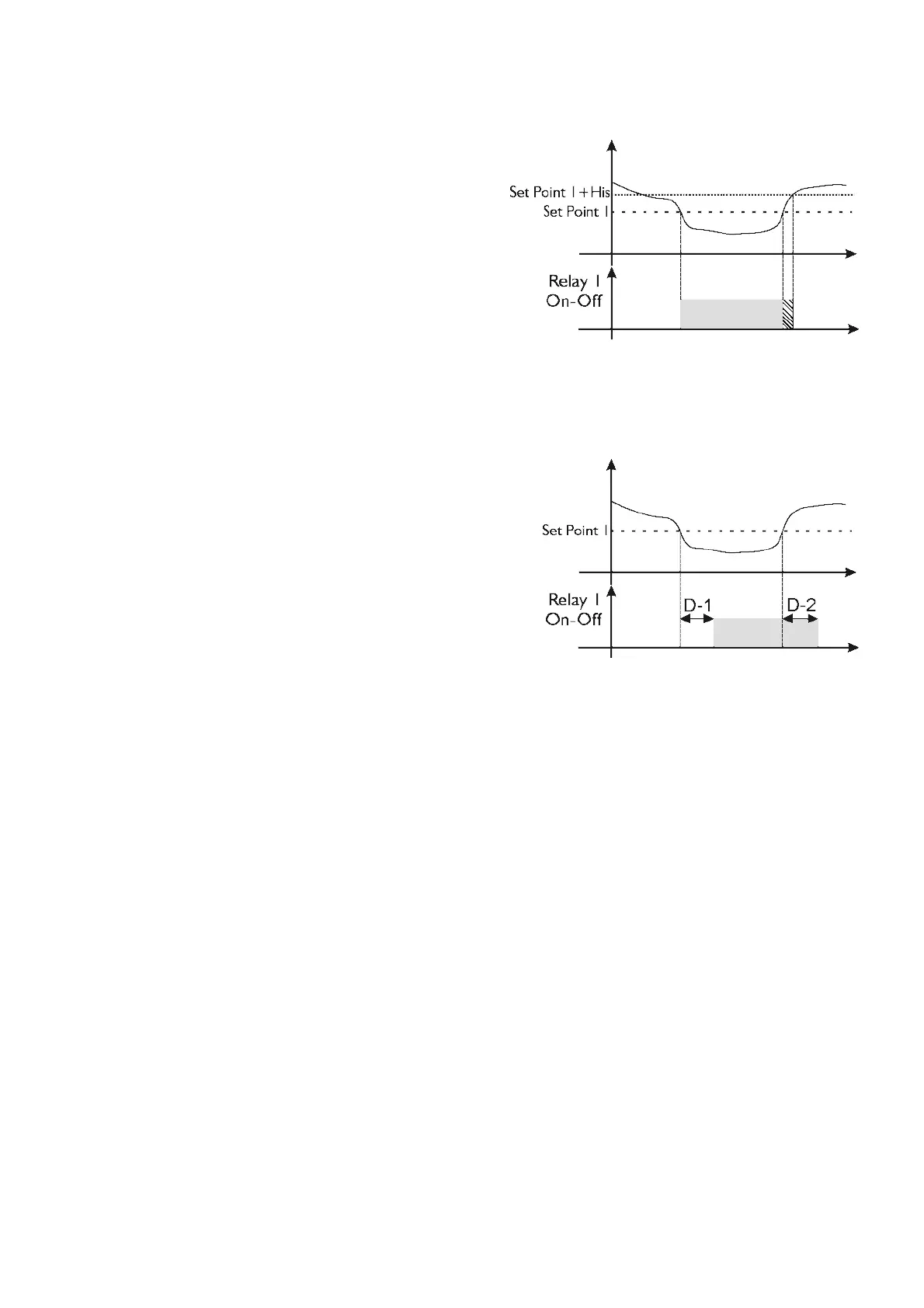
Dosing Operation/Pause (ON
The instrument permits automatic control and modification of
the chemical measurement through Set Point 1, adjusting
The dosing example on the side can be set using the following
Type of Dosing = Alkaline
The instrument will begin dosing for values below 7.20 and
will stop dosing when above 7.60.
If Acid is set for Type of Dosing, dosing will be the exact opposite: dosing will
begin above 7.20 and will stop below 6.80 pH. The instrument permits two independent dosings by setting Set
Point 2 associated with Relay 2.
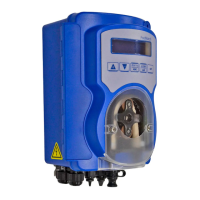
ument permits dosing start and end delays. The dosing
example on the side can be set using the following parameters:
This function is available for all of the previously described
Note: The variables shown above are independently available for
Set Point 1 and Set Point 2.
The device does not come on…
Make sure that the power cables are correctly connected
Check whether the power supply is pre
The display does not light up…
Regulate the display contrast
The chemical measurement function does not work…
Check the probe connection
Calibrate as instructed in the manual
The mA output does not change…
Check the cable connection
Use the “Manual Control” function in the main menu to check whether the output produces the
Check the electrical characteristics of the remote device (maximum load: 500 ohm).
Check whether the instrument is correctly
Check the settings in the main menu
If the anomaly persists, please contact the supplier.



 To Next Page