
 Need help?
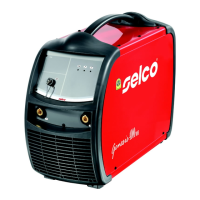
Do you have a question about the Selco Genesis 4000 PME and is the answer not in the manual?
Details safe operating environments, temperature, humidity, and dust limits.
Covers protective clothing, eye protection, hearing protection, and avoiding moving parts.
Discusses health hazards from welding fumes and necessary ventilation and protection measures.
Outlines precautions against fire and explosion risks, particularly around flammable materials.
Provides safety guidelines for handling and using gas cylinders, including storage and securing.
Emphasizes electrical safety, insulation, grounding, and avoiding contact with live parts.
Addresses electromagnetic field effects on health and equipment, and mitigation strategies.
Explains the equipment's Ingress Protection (IP) rating and its meaning regarding dust and water.
Provides guidelines for safely handling and moving the equipment, including weight considerations.
Details requirements for placing the equipment in a suitable, stable, and accessible location.
Outlines how to connect the power supply, emphasizing correct voltage and earthing.
Illustrates specific connection procedures for MMA, TIG, ARC-AIR, and MIG/MAG welding processes.
Describes the digital multiprocessor systems and their capabilities for various welding processes.
Details the functions of buttons, displays, and the main adjustment handle on the front panel.
Explains the initial checks performed upon startup and the starting screen display.
Describes the test screen that appears when the side panel is open, inhibiting welding.
Explains how the main screen displays welding process parameters like current, voltage, and wire speed.
Guides users through the setup menu for adjusting various parameters like hot start, current, and arc force.
Describes how to select welding methods and synergic curves based on material and wire type.
Explains storing and managing up to 64 personalized welding programs.
Allows customization of the user interface (XE, XA, XP modes) and 7-segment display.
Covers locking panel settings with a password to prevent unauthorized changes.
Details managing welding parameters via external devices like remote controls.
Allows setting warning and guard limits for key welding parameters.
Explains alarm icons, codes, and types, providing guidance for troubleshooting.
Identifies the components and connectors located on the rear panel of the equipment.
Details the power sockets for connecting earth cables and torches.
Explains how remote controls connect and interact with the power source.
Describes the RC 100 unit for managing current and voltage adjustments.
Details the TIG pedal control for current adjustment via foot pressure.
Introduces the RC 180 for changing output current without interrupting the welding process.
Explains the RC 190 for setting part thickness, welding voltage, and arc length.
Describes the RC 200 for managing all available parameters of the connected power source.
Refers to MIG/MAG series torches.
Details U/D series torches for controlling welding parameters.
Mentions DIGIMIG torches for controlling parameters and displaying values.
Refers to Push-Pull series torches.
Explains MMA welding, including edge preparation, electrode choice, and current selection.
Describes TIG welding, arc striking, and different start methods like lift start.
Details TIG welding for steel, including edge preparation and electrode selection.
Discusses TIG welding suitability for copper due to its high thermal conductivity.
Introduces the MIG/MAG system, manual welding, and metal transfer mechanisms like SHORT-ARC.
 General
| Brand | Selco |
|---|---|
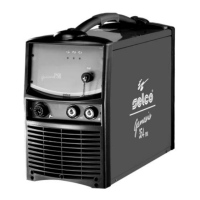
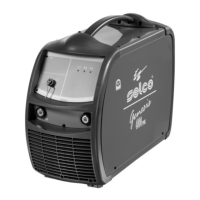
| Model | Genesis 4000 PME |
| Category | Welding System |
| Language | English |


 To Next Page