EasyManua.ls Logo

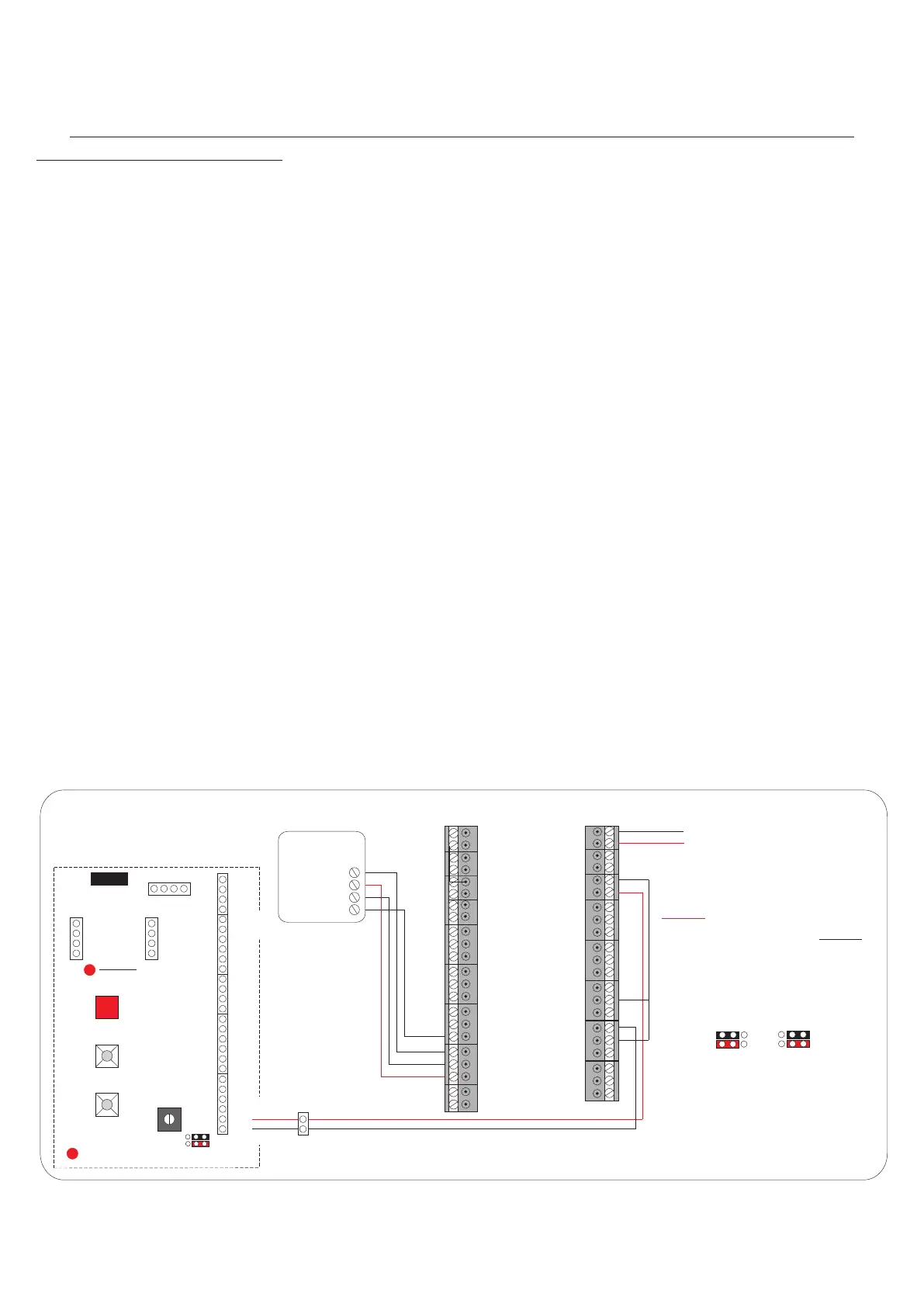
Select Audio 8 - Proximity Access Wiring Detail (KMS Simplekey)

Default Icon
34 pages
Print Icon
To Next Page IconTo Next Page
To Previous Page IconTo Previous Page
Loading...
Digital Audio
Installation Manual
Proximity Access wiring detailProximity Access wiring detail
- 18 -
DATA 1
DATA 0
DC12V
DC12V
GND
GND
SIG 2
SIG 1
LED
LED
R +
R -
DATA 1
DATA 0
KMS
DDA
READER
DOOR 1
GND
LED
SIG1/2
12VDC
RTE2
DC2
TR1
GND2
RTE1
DC1
EMG 1&2
GND1
KMS SIMPLEKEY
Both Door ReleaseTimes
be programed to 2
seconds Fail Safe even if
only one reader is being
used.
Must
The PAC relay
healthy indicator
must always
be on.
RED
1
2
+VE
-VE
12V
12V
0V
Sw1
Prog
Sw2
Up
Load
Sw3
Down
Load
LS2
PAC +
PAC -
LS1
LC
SA
SE
Stb-
Stb+
0V
CTS
SD
DMS
DMS
RTE/T
RTE/T
Vout
0V
SCN
Flat Programming
Button
Board Healthy
Indicator
12V
0V
SCN
SIG
CAM2 (Lobby)
12V
0V
SCN
SIG
CAM1(Panel)
+
_
1
2
pcb. 2024
Iss. 3
With DDA
facility
1
2 3
1
2 3
PAC relay healthy
indicator
Door Open Tone
Control
1
2 3
1
2 3
1
2 3
1
2 3
WITH
PAC
NO
PAC
N/C
COM
N/O
DC IN
12VDC INPUT From
Select Controller 12VDC Auxilliary Terminals
OR
Use the KMS 5Amp Power Supply
DC OUT
14.6V
Battery
-
-
-
+
+
+
-
Door 2
Alarm
N/C
COM
N/O
Door 1
Alarm
N/C
COM
N/O
Door 2
Lock
N/C
COM
N/O
Door 1
Lock
GND
RX
TX
RS232
Digital Audio
Revision 1.09 Date: 05/12/2011