English
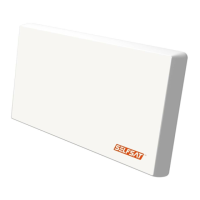
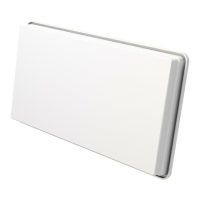
What is SELFSAT-H21D+ / H30D+?
Contents
.........................................................................What is SELFSAT-H21D+ / H30D+?
3
Safety Instructions
..........................................................................................Safety Instructions
4
Box Content
................................................................................................Box Content
5
Troubleshooting Check List for Initial Installation
.........................................................Troubleshooting Check List for Initial Installation
13
Loss of Signal / Rain Fade
..................................................................................Loss of Signal / Rain Fade
14
Installation Using Long Cable
.............................................................................Installation Using Long Cable
14
Install
..............................................................................................
...................................................................................
.............................................................................
....................................................
..........................................................................
..................................................................
............................................................
..................................................................................
.........................................................................................
..............................................................................
...........................................................................
...................................
How to Install?
Step 1 : Where to Install?
Step 2 : Installation Choice
Step 3 : Connecting the Antenna and the Set top box
Step 4 : Antenna Pointing Menu
Step 5 : Pointing and location the Signal
A) Table Stand Type (On a Horizontal Plain)
B) Wall Mounting Type
C) Window Type
D) Clamp on Balcony Type
A) How to prepare the cable?
B) How to connect the cable to the antenna and the set top box?
7
7
8
10
11
12
8
9
9
10
11
11




 To Next Page