Comfort technologydivisio
“MUSA Plus Eco
Electronic control for towel radiators
Selmo Electronic
Viia Pacinotti, 24 - 35030 Rubano (PD) Italy- Tel 049.8976761, Fax 049.8976085 - www.selmo.it
EN
1.OPERATING THE DEVICE
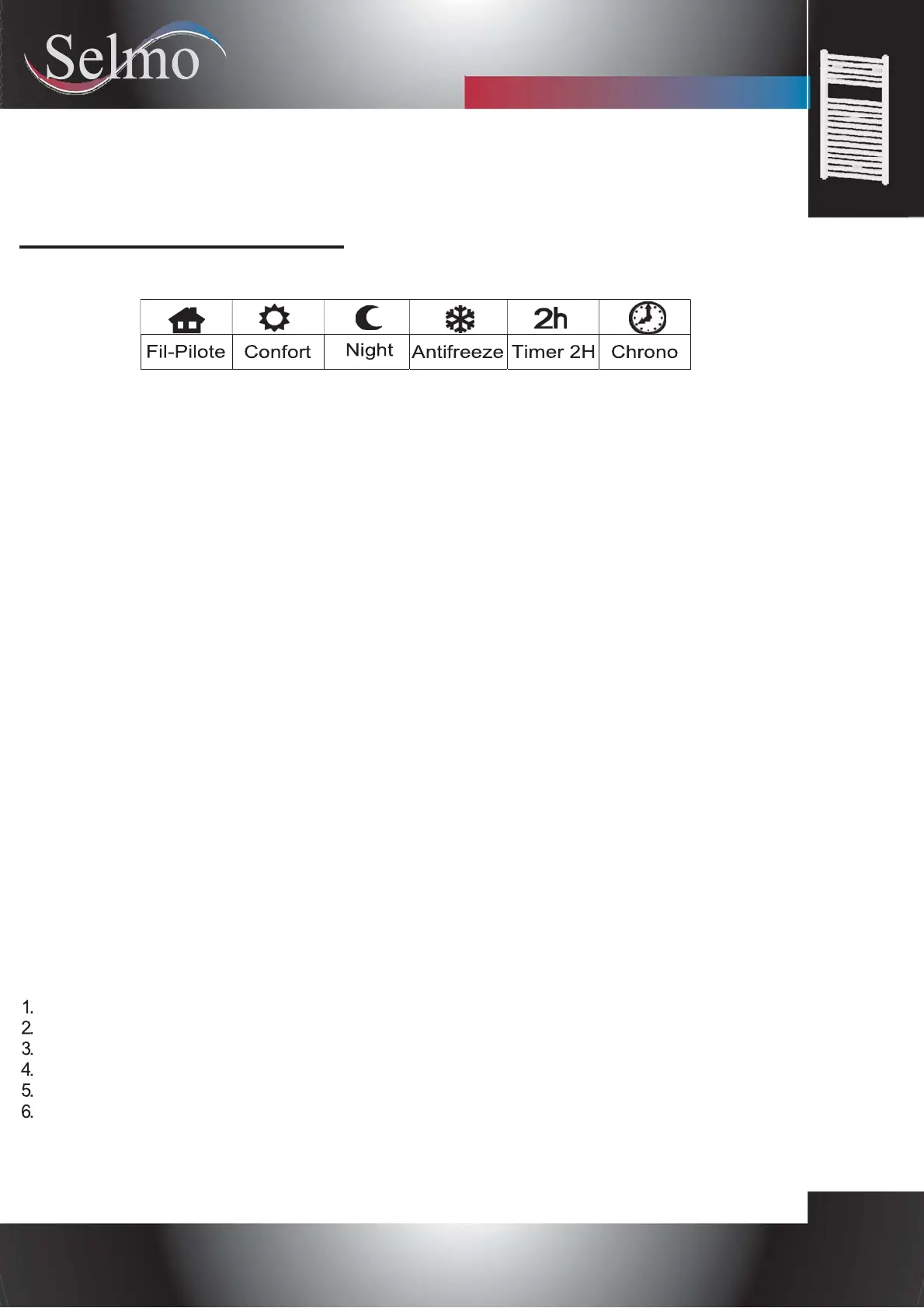
Press the [PROG] button to select the desired operative mode. An icon on the display indicates the
selected operating mode, according to the following table:
COMFORT MODE
The "Comfort" stably maintains the room temperature to a selected value. To set this operative mode:
-Press the [Prog] button until the display shows the “Comfort” icon
-Set the desired temperature through
[+] and [-] buttons.
NIGHT MODE
The "Night" mode sets a value of temperature below the "Comfort" temperature value.
It is suggested to set this operating mode during the night or when the room is not occupied for 2 or more hours.
-Press the [Prog] button until the display shows the " Night" icon
-Set the desired temperature through [+] and [-] buttons.
ANTIFREEZE MODE
In "Antifreeze" mode the temperature is fixed to 7°C. The device activates the heating element when the room
temperature falls below 7°C. It is suggested to set this operating mode when the room is not occupied for
several days. Press the [Prog] button until the display shows the "Antifreeze" icon
TIMER-2H MODE
The "Timer 2h" mode can be used to quickly warm up the room or to speed up towel drying.
-Press the [Prog] button until the display shows the "2h" icon.
The device is activated at the maximum power for 2 hours, up to a maximum room temperature of 32°C. The
“Timer-2h” mode is automatically deactivated after a period of 2 hours and the device returns to the operative
mode previously set. The user can switch to another operative mode at any time by simply pressing the
[PROG] button.
FIL-PILOTE MODE (Only for product versions equipped with "Fil-Pilote")
In "Fil-Pilote" mode the device is managed by a central control system that sets the operating mode for all the
connected devices. The device operates with the most advanced "Fil-Pilote" system with six commands, which
allows the following functions:
Standby: power off the heating element, the device remains active.
Comfort: maintains the "Comfort" temperature set by the user.
Eco: maintains the room temperature 3,5°C below the "Comfort" temperature.
Anti-freeze: maintains the room temperature at 7°C.
Eco-1: maintains the room temperature 1°C below the "Comfort" temperature.
Eco-2: maintains the room temperature 2°C below the "Comfort" temperature.
The user can set the desired temperature on the device:
-Press the [Prog] button until the "Fil-Pilote" icon is displayed.
Set the desired temperature through the [+] and [-] buttons.
Rev. 02 - Sept. 2017


 To Next Page
 Loading...