semshred.com | 508.366.1488
6.3 Removing or Changing the Screen
Tools and PPE (Personal Protective Equipment) Required:
• Cut resistant gloves, safety eyewear, and a mask.
• 1/2” deep socket with 6” or longer extension.
• 9/16” socket.
Removing the Screen:
• Remove the four bolts in the corners underneath the cutting chamber that hold the transition in
place with a 9/16” socket. The screen will be exposed under the platform.
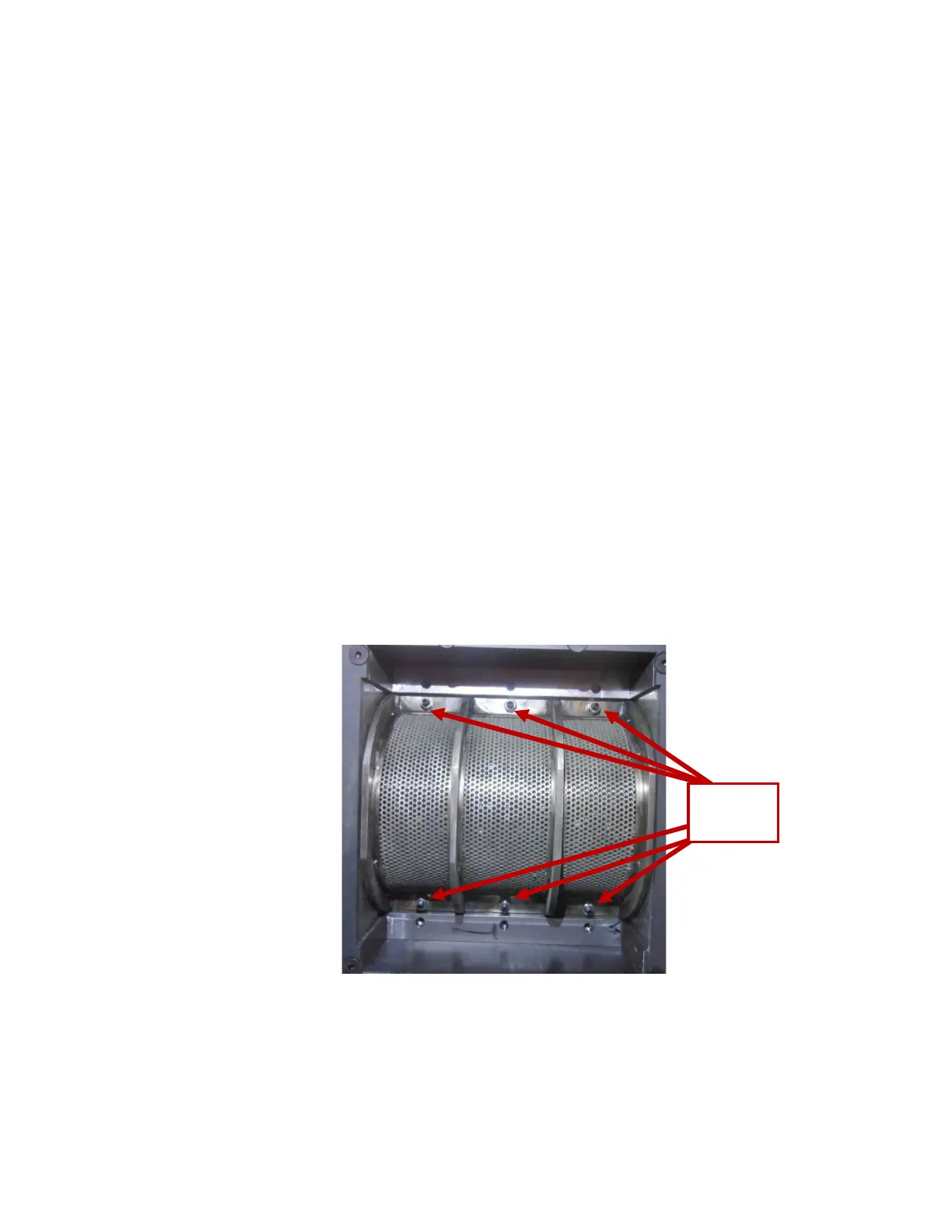
• Remove six 5/16-18 nuts from the screen using a 1/2” deep socket with extension and lower it
carefully to not spill any remaining material.
• Inspect screen for damage. Particle size integrity cannot be guaranteed if screen is damaged –
contact manufacturer for replacement.
Note: Material resting on the screen is not considered to be adequately destroyed.
Caution: Material resting on the screen may fall through upon removal. Eye protection and gloves are
recommended as well as other personal protective equipment (PPE) if required by employer.
Figure 6.5: View from underneath screen


 To Next Page