10
Inial Set Up
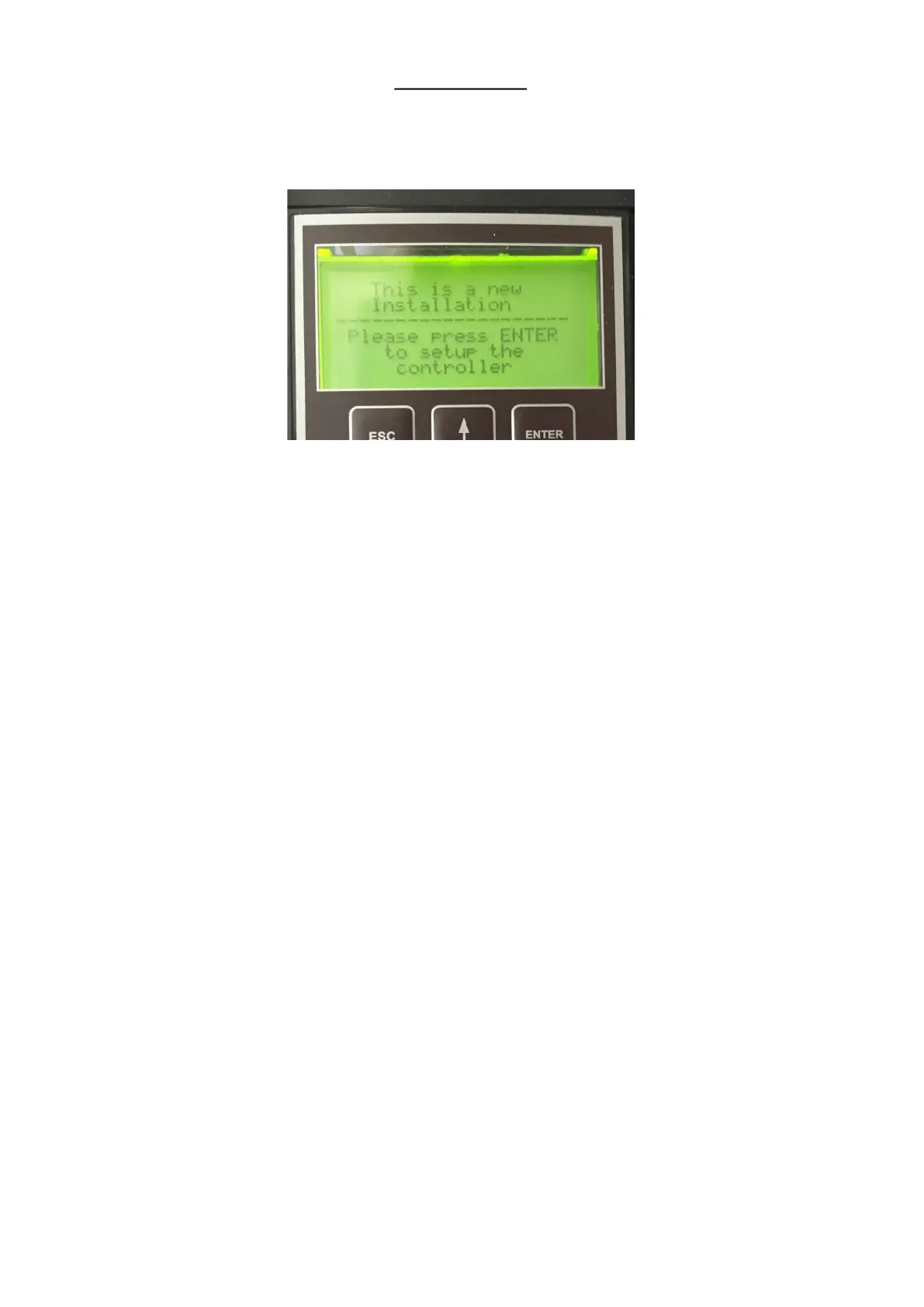
A few seconds aer powering the unit up for the rst me, or aer re-inialising it, the screen below will be displayed.
The only valid key which can be pressed is the ENTER key and the only way of stopping this screen from appearing is to com-
plete the setup roune.
Please note that, if you make a mistake and enter the wrong value in one of the steps, the ESC key can be used to go back a
step. You can go back as many steps as you like even right to the start of the setup roune if necessary.
The sengs that you enter are only saved aer you complete the last step so, providing you haven’t completed the nal step,
you can always start setup again by turning o the power and then powering up again.
The controller can also be re-inialised. See the ’Changing Parameters’ secon for instrucons on how to do this.
There are 11 steps in the setup roune and they are as follows:-
1. ENTER THE MOTORS NAMEPLATE VOLTAGE: Use the arrow keys to alter the value.
2. ENTER THE MOTORS NAMEPLATE CURRENT: Use the arrow keys to alter the value.
3. ENTER THE MOTORS NAMEPLATE RPM: Use the arrow keys to alter the value.
4. ENTER THE MOTORS MAXIMUM SPEED: Here you can enter the maximum operang RPM of the
motor. This gure may be adjusted up to double the motors rated nameplate RPM but please note that very few pumps can be
operated at this sort of speed. If you are in doubt about the maximum speed that your pump can be operated at then please
set this gure to the same value as the Motors Rated Nameplate speed. Note that this is the value that appears by default.
5. ENTER THE MOTORS MINIMUM SPEED: This gure is also determined by the minimum speed that
your pump can successfully run at. If you are in doubt then the default gure can safely be used.
6. MOTOR DIRECTION CHECK: Pressing the up arrow will cause the motor to run at low speed for a couple of
seconds so that you can check that the direcon of rotaon is correct. If it isn’t then turn o the power and, aer the control-
ler screen goes completely dark, remove the controller terminal cover and swap any two wires connected to U,V and W. Once
this is done turn the power on again and you will be bought back to this step, all of your previous programming will have been
saved. Conrm that the direcon is now correct and then press ENTER to connue.


 To Next Page
 Loading...