9
Seng up and Operaon
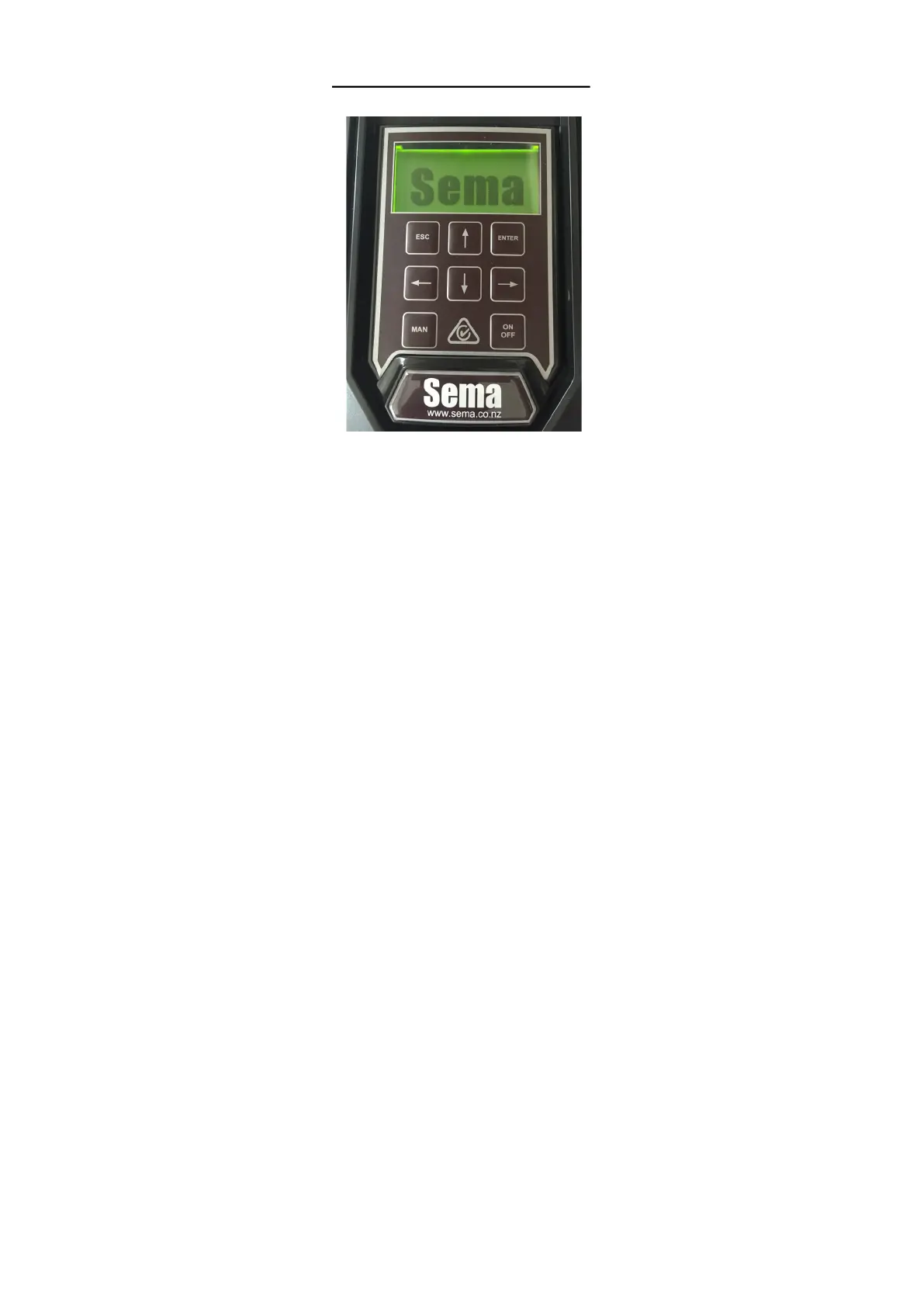
Using the keypad
Descripon:
ESC The escape key funcons in the same manner as the escape key on a computer it allows you to exit without sav-
ing parameters and also allows you to go back a step when going through the inial setup roune.
UP ARROW Increases the digit immediately above the cursor when entering parameter values and scrolls
through a menu list.
ENTER Accepts and saves a value which has been entered. Press and hold for 3 seconds to access the Funcon
menu from the main running screen.
MAN Short for Manual, holding this buon down will gradually accelerate the pump to full speed
LEFT ARROW Moves the cursor one posion to the le when entering parameter values.
DOWN ARROW Decreases the digit immediately above the cursor when entering parameter values and scrolls
through a menu list.
RIGHT ARROW Moves the cursor one posion to the Right when entering parameter values.
ON OFF Press once to turn the controller o, press again to turn the controller on. Aer power up the controller
will always start in the ‘on’ state.
Hint: When entering numbers use the le and right arrow keys to move the cursor and the up and down arrow keys to
change the number above the cursor.


 To Next Page