12
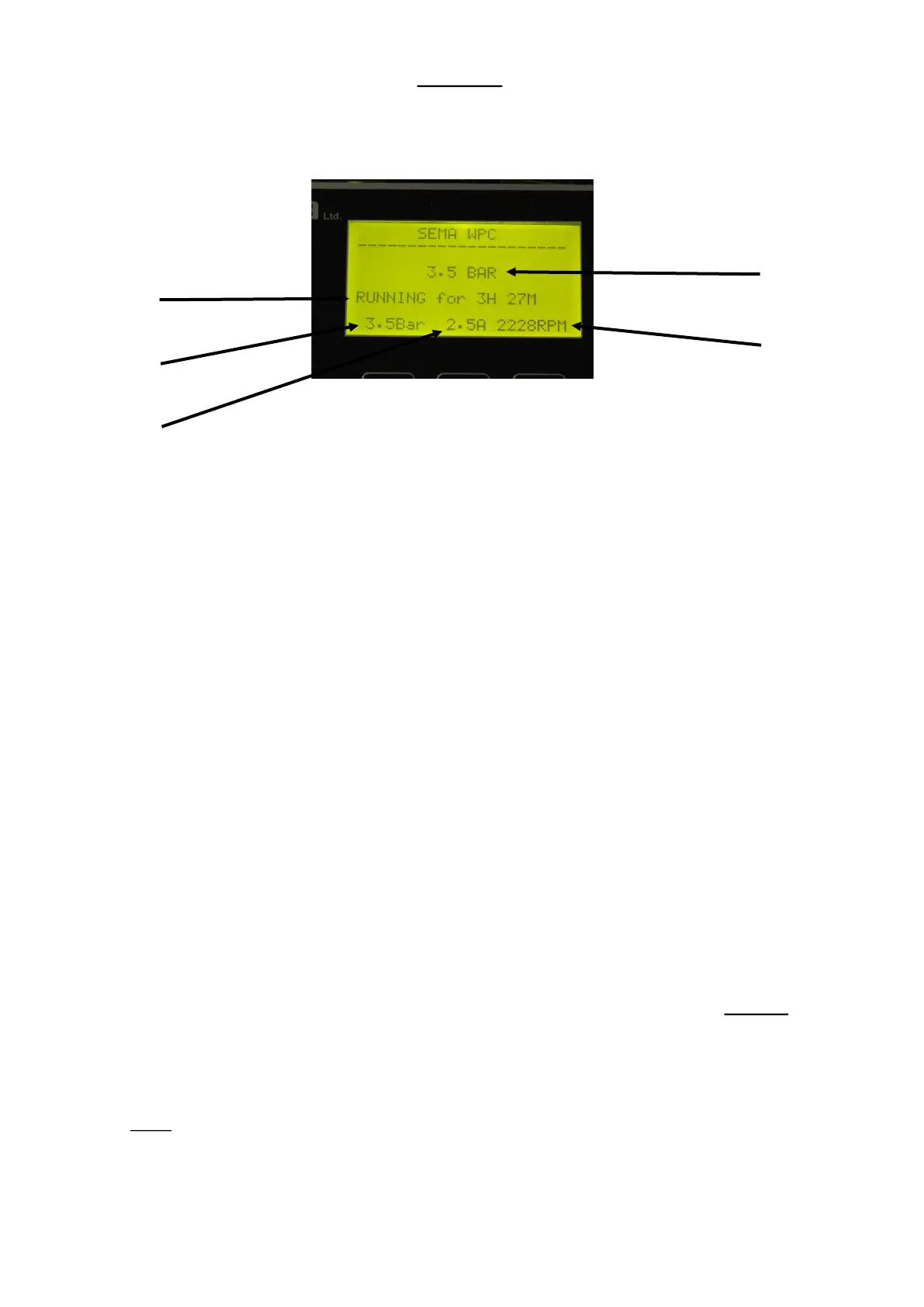
MODE Five dierent modes may be displayed here:
1. RUNNING This is the normal mode which will be displayed when the pump is running. It also displays how long the
unit has been running connuously for.
2. READY TO RUN If there is no demand for water the unit will stop the pump motor and display this message. This indi-
cates that it is healthy and will start as soon as there is a demand for water
3. STOPPED The ON/OFF buon has been pressed and the unit will not run. (Press the buon again to put the unit in Run
mode).
4. MANUAL The Manual Push Buon is being held down.
5. EMERGENCY MODE. At power up the unit detected that there was a pressure switch connected between terminals 1
and 2. It has put itself into emergency mode and will turn on and o with the pressure switch. See Page 7 for a more
detailed explanaon of “Emergency Mode”.
Changing Parameters:
To access the parameters (also called funcons) menu press and HOLD the
ENTER key for between 2 and 3 seconds.
There are seven parameters which can be altered without entering a password. These non password protected parameters
may all be altered with or without the motor running.
Running
The Measured
Pressure
The Mode
The Set-Point
The Motor
Current
The Motor RPM


 To Next Page