Batch Counting Mode
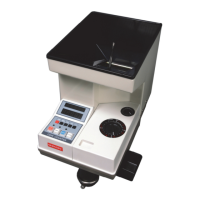
1) Batch mode is typically used when bagging or wrapping/rolling coins. Select the batch
counting mode by pressing the BATCH button. The LED indicator light above the BATCH
button will turn on.
2) Select your desired batch stop quantity, a number from 1-9999, by pressing the 1, 10, 100
and 1000 digit selection buttons until you reach the desired setting. The batch stop setting will
appear on the upper LED display.
3) Press the START/STOP button to start counting. The indicator light above the
START/STOP button will turn on during counting. When the selected batch count has been
reached, the counter will stop automatically so you can change bags or wrappers. Press the
START/STOP button again to start the next batch counting cycle.
4) If the last batch count is not complete, add additional coins to the hopper and press the
START/STOP button again. The counter will continue counting from where it left off until
the desired batch quantity is reached and then it will stop.
5) To clear the batch setting, hold down the CLEAR button and then press the 1 button.
Add Mode
In the normal counting mode, as you count multiple groups of coins, the machine will reset the
total count between groups when the STORE button is pressed. If you press the ADD button so
the LED above the button is lit, then Add mode is on and the machine will continuously add
each coin count to the previous total after the STORE button is pressed.
Subtotal Mode
After each group of coins is counted, press the ADD/STORE button for 2-3 seconds to store the
count in the subtotal list. Press the SUB button to enter the the subtotal list display mode. Each
time the SUB button is pressed, the next subtotal will be displayed. The grand total will be dis-
played at the end. Press the SUB button for 2-3 seconds to exit the subtotal list display mode.
Counting Order For Mixed Coins
When counting a mix of different denomination coins, always count the coins with largest
diameter first, then work down to the smallest diameter coins. Set the diameter and thickness
knobs according to the setting for the coin with the largest diameter. Any smaller coins will be
rejected into the offsort tray or offsort bag holder on the right side of the counter. Then
similarly count the rejected coins. Do this repeatedly until all coins are counted.
6


 To Next Page