10
Feed Tension Adjustment
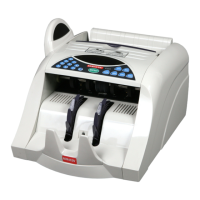
You may need to occasionally adjust the feed tension to compensate for the normal wear that the
rubber feed wheels experience over time. The feed tension can be adjusted by turning the Feed
Tension Adjustment Knob on the top of the machine. The initial factory setting is with the dot at
the 0 position (in the center toward the back of the machine). Turning the knob clockwise (so the
dot on the knob is at +1 or +2) will loosen the feeding system, while turning the knob
counterclockwise (so the dot on the knob is at -1 or -2) will tighten the feeding system.
Most machines function best with the dot on the knob centered at 0, but if the machine is
experiencing frequent jam errors, the knob may need to be turned clockwise so that the dot is at
+1 or +2. Alternately, if the machine is experiencing frequent double note or chain note errors,
the knob should be turned counterclockwise so that the dot is at -1 or -2.
IMPORTANT! The dot on the knob should never be adjusted past +5 or -5.
Contact your authorized Semacon service provider if your machine still receives
error messages after the feed tension has been adjusted to either of these points.



 To Next Page