23
Figure 2-18 Login screen of the Pro Series web management
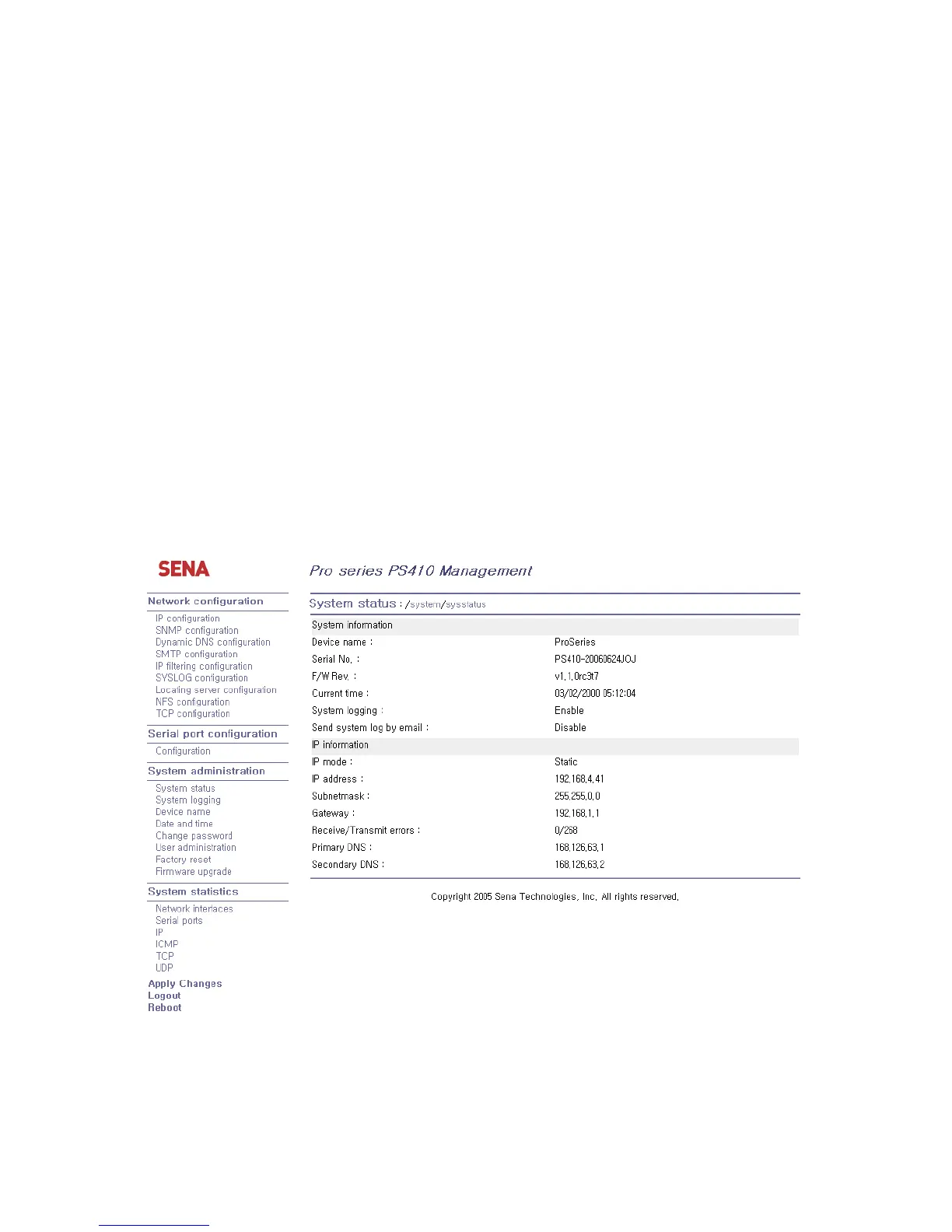
Figure 2-19 shows the configuration homepage of the Pro Series Web management interface. A menu
bar is provided on the left side of the screen. The menu bar includes the uppermost configuration
menu groups. Selecting an item on the menu bar opens a tree view of all the submenus available
under each grouping. Selecting a submenu item will allow the user to modify parameter settings for
that item. Every page will allow the user to [Save], [Save & apply] or [Cancel] their actions. After
changing the configuration parameter values, the users must select [Save] to save the changed
parameter values to the non-volatile memory. To apply all changes made, the user must select
[Apply Changes]. This option is available on the bottom of the menu bar. Only when the user selects
[Apply changes] will the new parameter values be applied to the Pro Series configuration. The user
also can select [Save & apply] to save parameters and apply changes in one step.
If the user does not want to save the new parameter values, the user must opt to [Cancel]. All changes
made will be lost and the previous values restored. But the changes that are already saved or applied
cannot be canceled.
Figure 2-19 The Pro Series web management screen



 To Next Page