24
3. Network Configuration
3.1. IP Configuration
The Pro Series requires a valid IP address to operate within the user’s network environment. If the IP
address is not readily available, contact the system administrator to obtain a valid IP address for the
Pro Series. Please note that the Pro Series requires a unique IP address to connect to the user’s
network.
The users may choose one of three Internet protocols in setting up the Pro Series IP address: i.e.,
Static IP
DHCP (Dynamic Host Configuration Protocol)
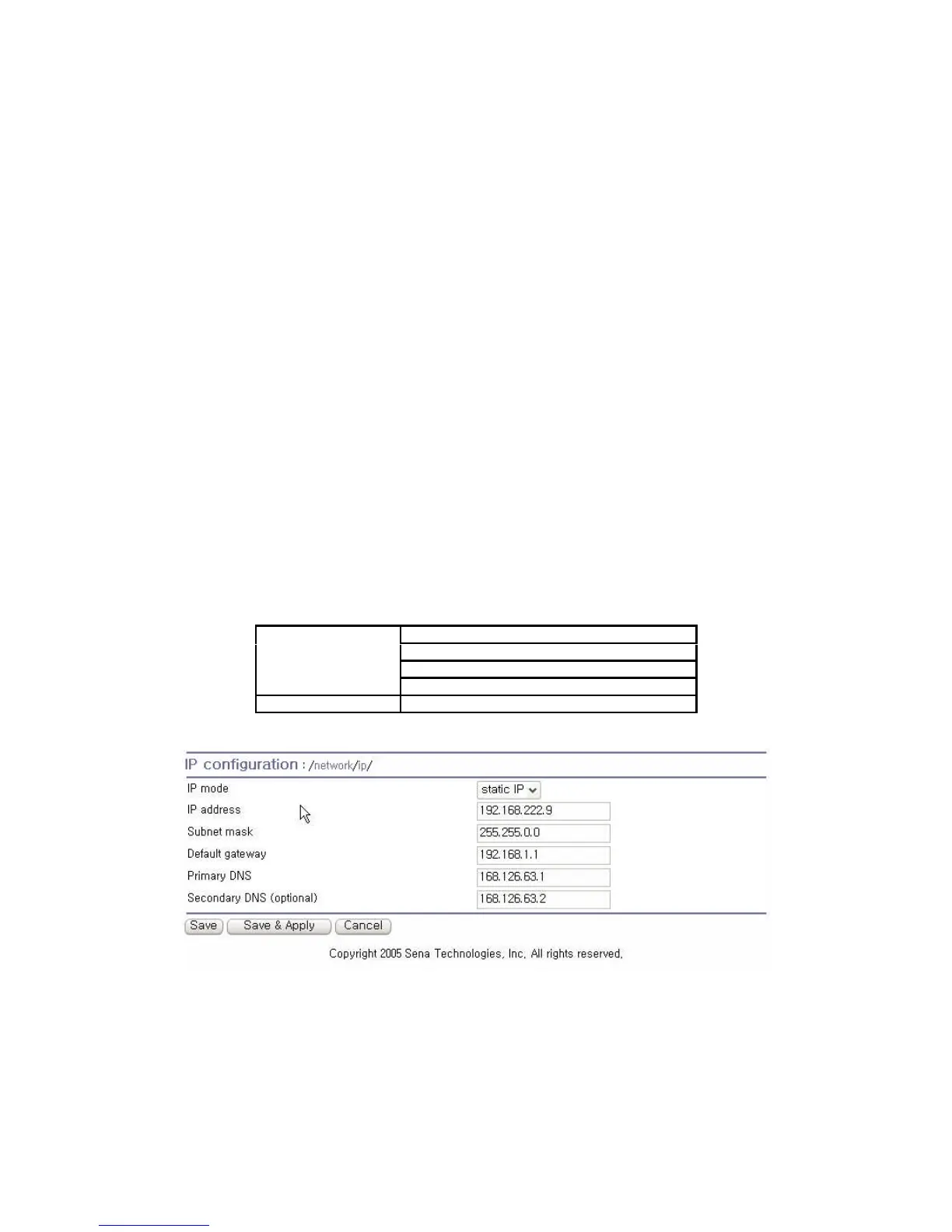
The Pro Series is initially defaulted to STATIC mode, with a static IP address of 192.168.161.5. Table
3-1 shows the configuration parameters for all three IP configurations. Figure 3-1 shows the actual
web-based GUI to change the user’s IP configuration.
Table 3-1 IP configuration Parameters
IP address
Subnet mask
Default gateway
Static IP
Primary DNS/ Secondary DNS
DHCP
Primary DNS/ Secondary DNS (Optional)
Figure 3-1 IP Configuration



 To Next Page