English
SPH10H-FM
35
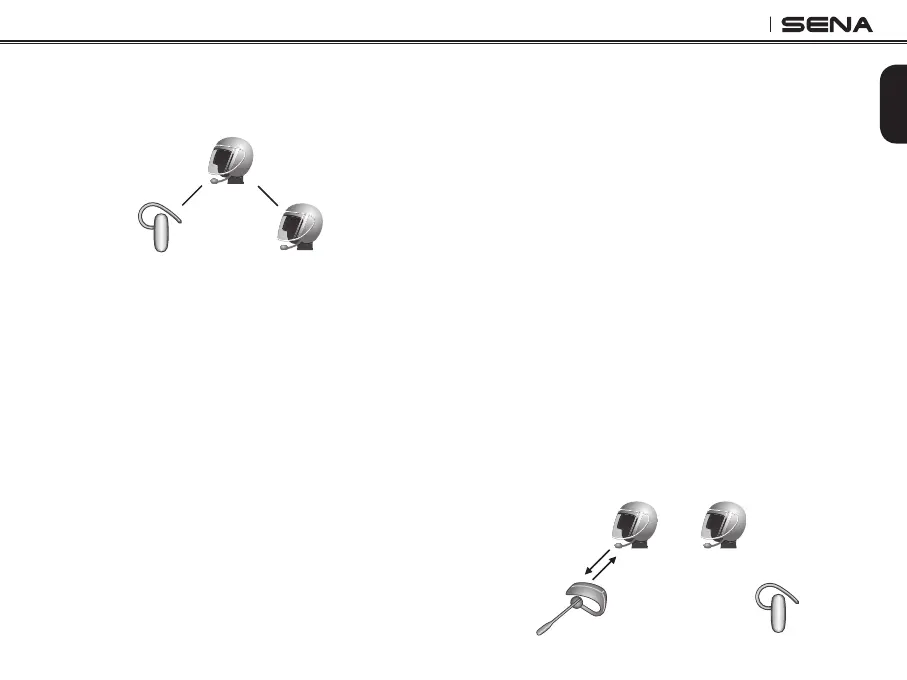
4. Now you (A), non-Sena Bluetooth headset (B), and
the other SPH10H-FM (C) are having a three-way
conference intercom.
(A)
(B) (C)
5. You may disconnect the three-way Universal
Intercom using the same way as you do in normal
three-way intercom. Please refer to section, 14.2
“End Three-way Intercom”.
16.4 Four-way Universal Intercom
You may make a four-way Universal Intercom connection
with a couple of different configurations, 1) three SPH10H-
FMs and one non-Sena Bluetooth headset or 2) two
SPH10H-FMs and two non-Sena Bluetooth headsets.
You may have a couple of other four-way Universal
Intercom configurations, 1) your headset (A), a non-
Sena Bluetooth headset (B), another SPH10H-FM
(C), and a non-Sena Bluetooth headset (D), 2) your
headset (A), a non-Sena Bluetooth headset (B), and
two other SPH10H-FM headsets (C and D). You may
make the four-way Universal Intercom call the same
way as a normal four-way intercom call.
16.4.1 Four-way Universal Intercom Case 1
Two SPH10H-FM headsets (A and C) and two non-
Sena Bluetooth headsets (B and D).
1. You (A) may start an intercom conversation with
the non-Sena Bluetooth headset (B).
(B)
(D)
(A)
(C)


 To Next Page