English
SPH10H-FM
7
3. INSTALLING THE SPH10H-FM
ON YOUR HELMET
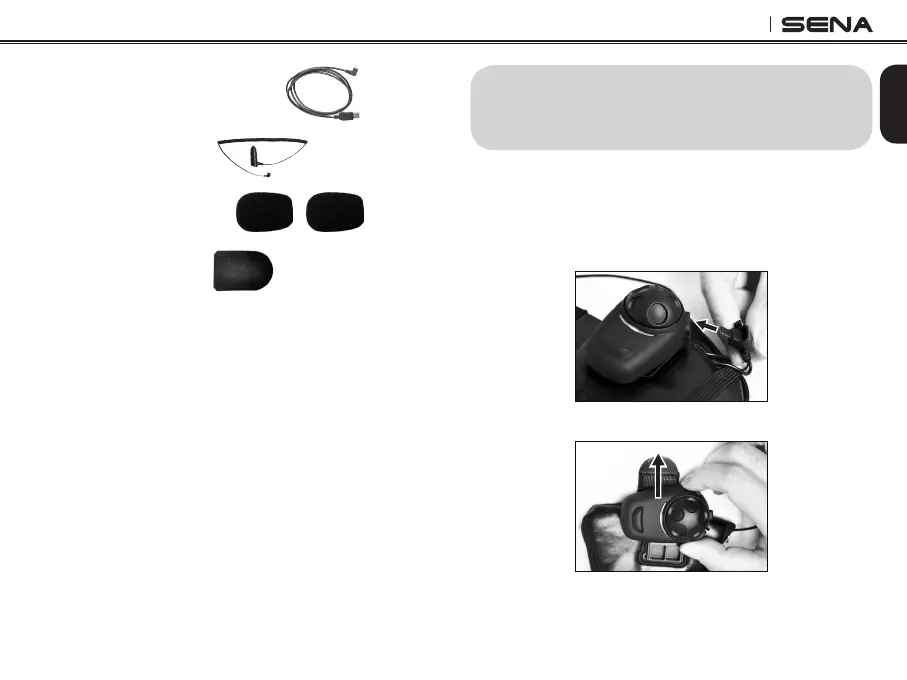
Before installing the SPH10H-FM, remove the main unit
from the earpad.
1. Pull the connector cover upward to unlock the
connector and pull out the speaker cable.
2. Slide upward the main unit to remove from the earpad.
• USB Power and Data Cable
• Cigarette Charger
• Microphone Sponges
• Tab Insertion Tool



 To Next Page