English
SPH10H-FM
41
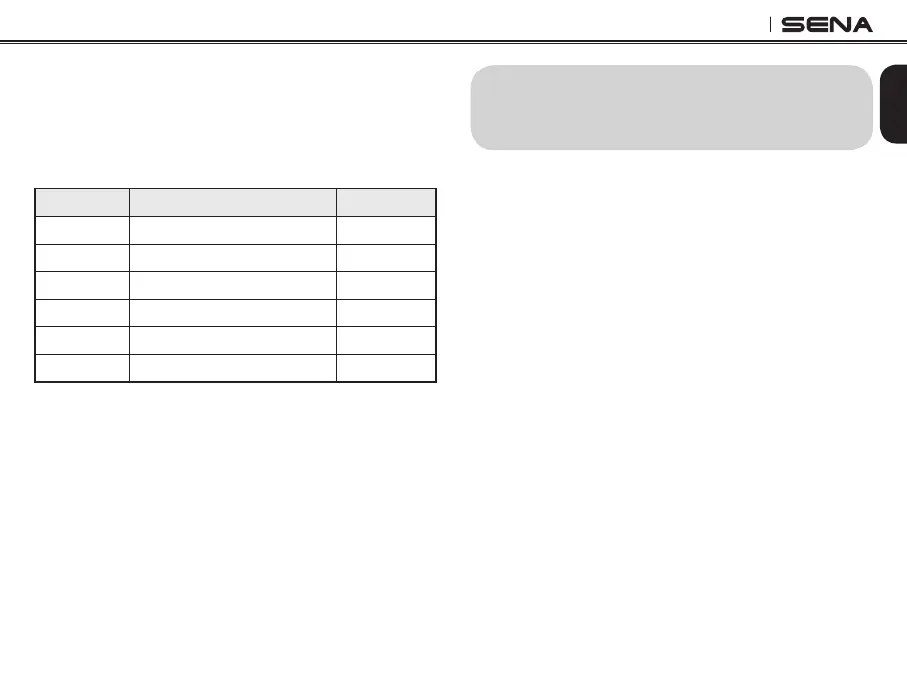
21.6 Region Selection
You can select proper FM frequency region from
Sena device manager. With the region setting, you
may optimize seek function to avoid unnecessary
frequency range (Factory default: worldwide).
Region Frequency Range Step
Worldwide 76.0 ~ 108.0 MHz ± 100 kHz
Americas 87.5 ~ 107.9 MHz ± 200 kHz
Asia 87.5 ~ 108.0 MHz ± 100 kHz
Australia 87.5 ~ 107.9 MHz ± 200 kHz
Europe 87.5 ~ 108.0 MHz ± 100 kHz
Japan 76.0 ~ 90.0 MHz ± 100 kHz
22. RESET TO FACTORY DEFAULT
SETTINGS
1. To restore the SPH10H-FM to factory default
settings, press and hold the Phone Button for 12
seconds until the LED shows solid red and you
hear double beeps. You will hear a voice prompt
saying “Factory reset”.
2. Within 5 seconds, press the Jog Dial to confirm
reset. The headset will be restored to factory
setting and switched off automatically. You will
hear a voice prompt saying “Headset reset,
good-bye”.
3. If you don’t press the Jog Dial within 5 seconds,
the reset attempt is canceled and the headset
returns to stand-by mode. You will hear a voice
prompt saying, “Canceled”.


 To Next Page