SPH10H
14
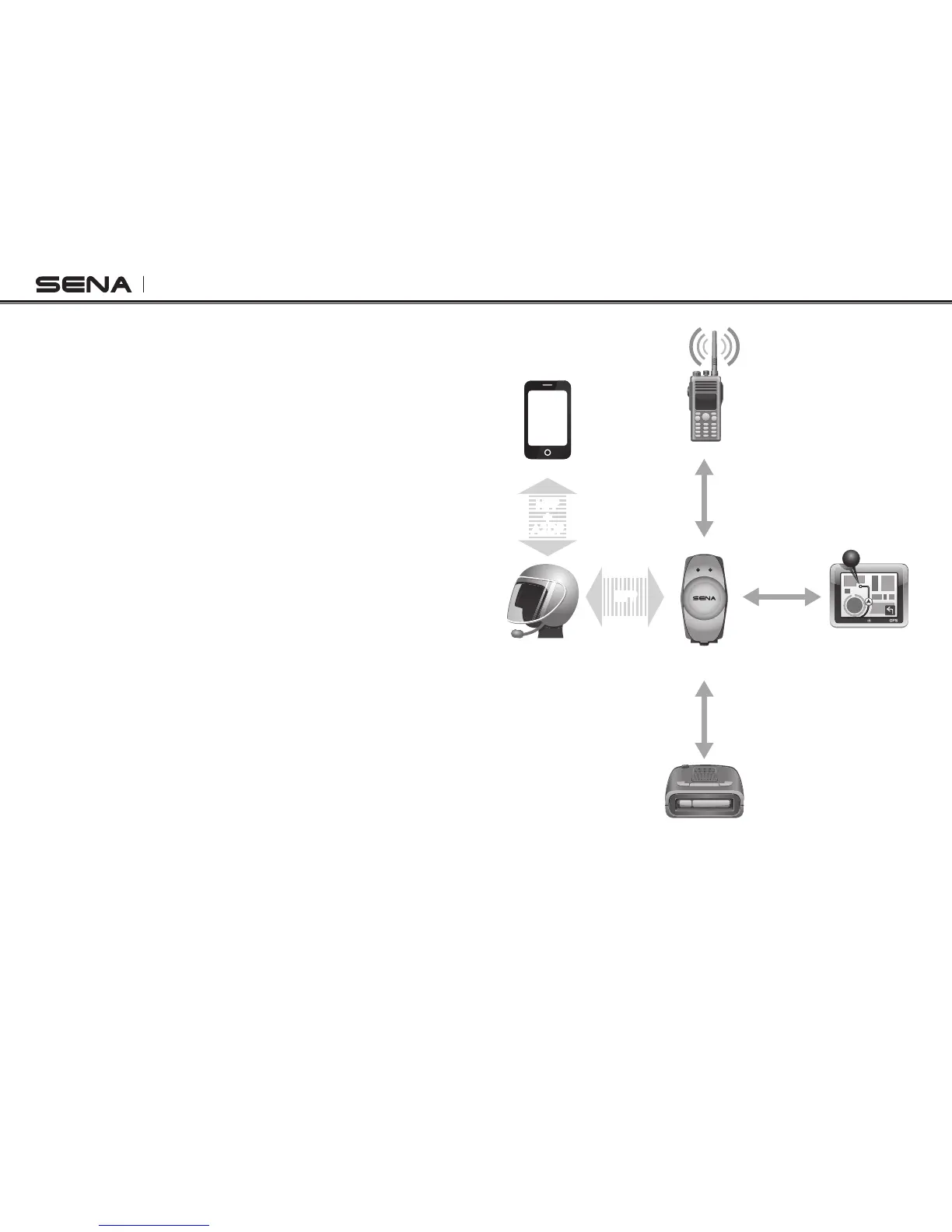
The incoming audio from the two-way radio via
SR10 is heard in the background while having an
intercom conversation or a mobile phone call. You
can listen to music, answer a mobile call, have an
intercom conversation and use a two-way radio via
SR10 for group communication as shown in the figure
below. A GPS navigation or a radar detector could
be connected to the SR10 by wire. The GPS voice
instruction or the radar detector alarm is also heard
in the background via SR10 while having an intercom
conversation or a phone call. Please refer to the SR10
user's guide for details.
Parallel Connection of SR10 and Mobile Phone by
Bluetooth Multipoint Pairing
Smart Phone
Two-way Radio
SPH10H
GPS
Sena SR10
Radar Detector
HFP
+
A2DP
Mobile Phone
Pairing
Multipoint
Pairing
HFP
Wired
Connection
Wired
Connection
Wired
Connection



 To Next Page