5
© 2020
The Sencon PC software can achieve the following:
•
•
•
• Show which PDPs are stored in the sensor’s memory.
•
•
Installation and set up of the PC Client software
•
• Double click on the setup.exe
•
PC Client Installation
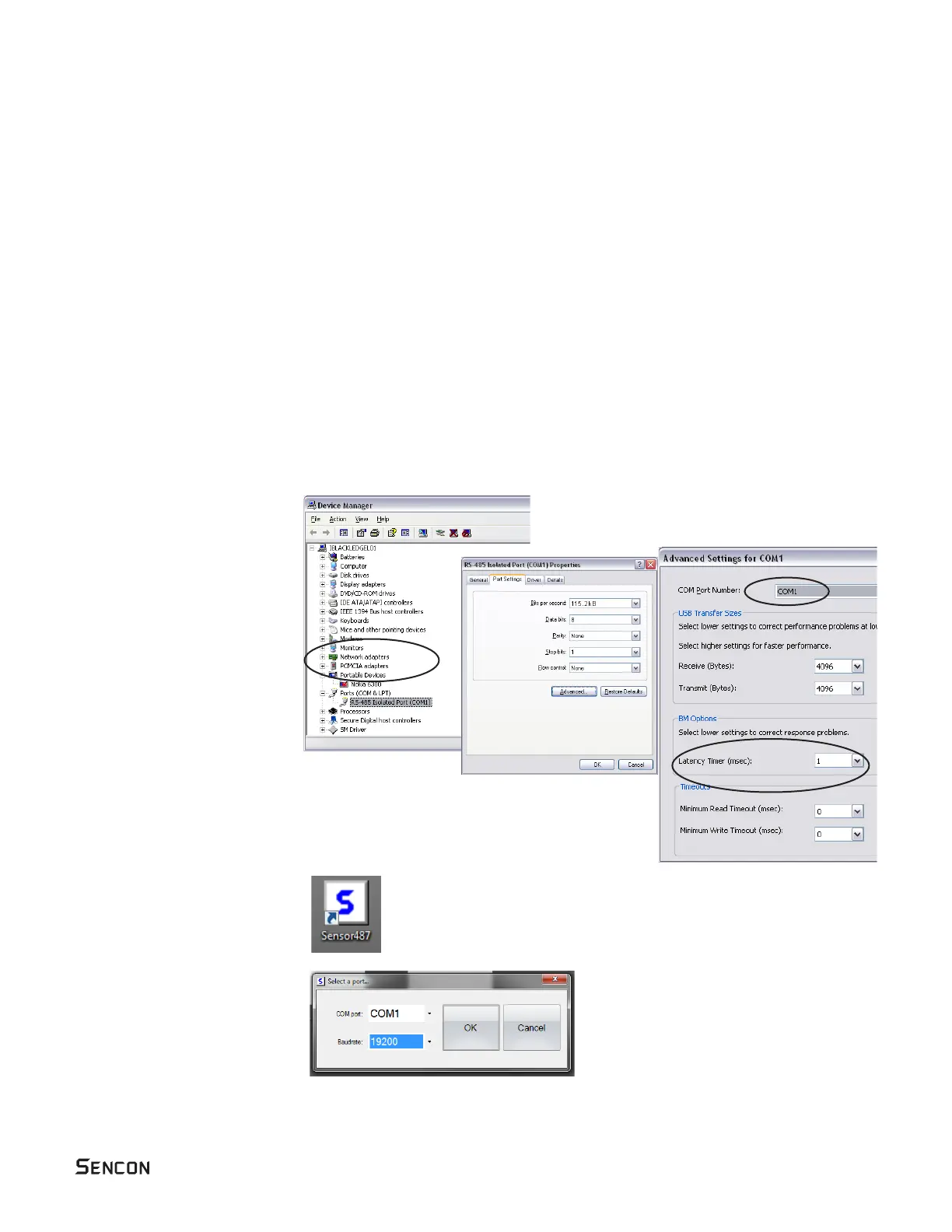
• You will also need to install
converter you are using. This
will be available on the CD
that came with the converter.
•
converter to the PC you need
to change the default driver
• Select Windows Device
Manager (via Control Panel –
• Change is Latency Timer from
16mS to 1mS.
• Note which COM port is
selected as this needs to
be entered into the Client
•
double clicking on the desktop
icon Sensor487.exe
• When the Client starts you
need to select the same COM
above.



 To Next Page