6
© 2020
Activate a PDP
•
•
•
window.
•
window.
•
Punch Optimization
punch in front of the sensor.
•
distance from the punch. 0.060-0.080” [1.52-2.03 mm]
• Bar the press to the point where the punch is in front
window.
0
and ends at 155
0
,
bar the press to 145
0
.
•
Adding PDP
• PDPs can only be added to the sensor via the Windows
•
•
•
Change PDP via Windows PC software
• PDPs may also be selected by using the Windows
• To switch to a loaded PDP simply press the “Play”
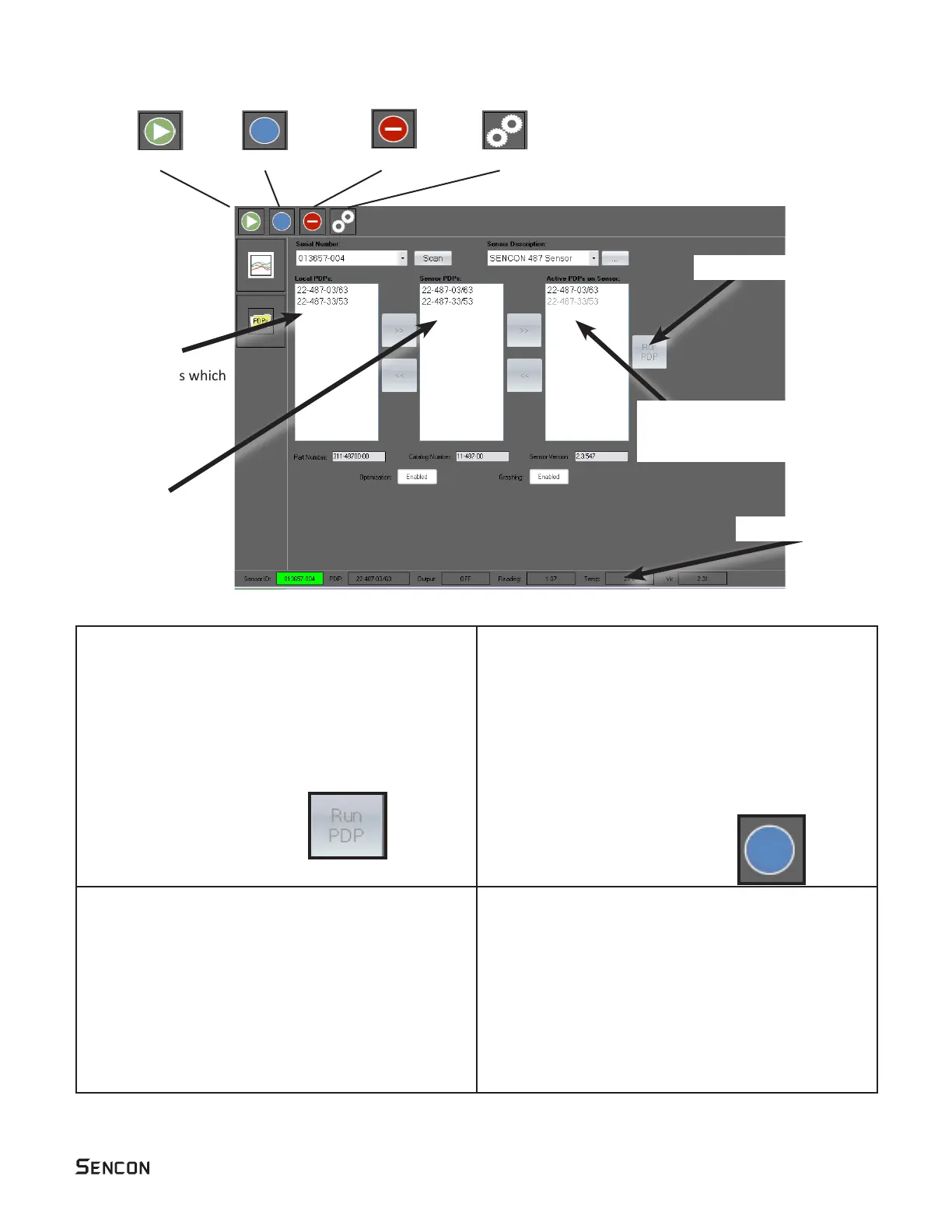
This is shown below.
Sensor PDPs
This area shows which
PDPs are available for
Local PDPs
This area shows which
PDP’s are stored on
the PC folder
“C:/Sencon/Packages”
PC Client Interface
This area shows which PDPs
are installed in the sensor.
Sensor status area



 To Next Page