6 Hoverprobe Refurbishment
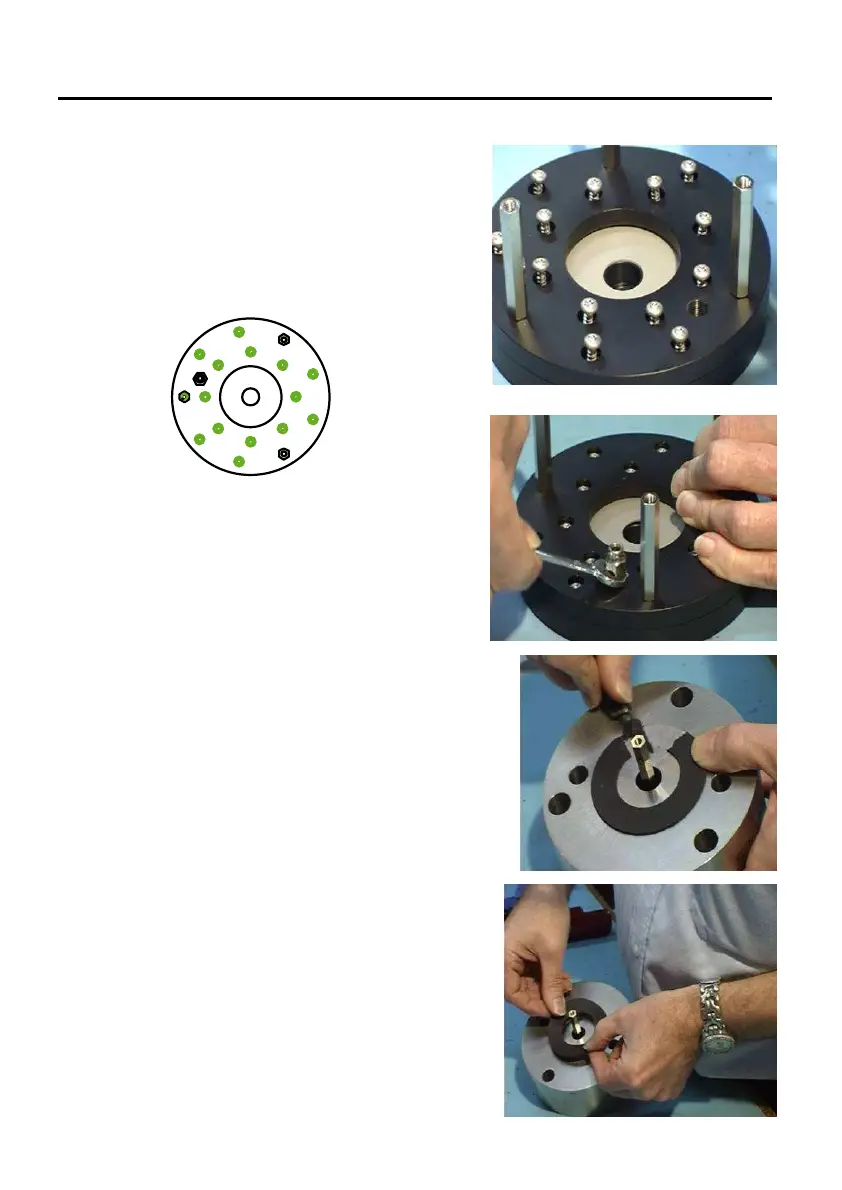
3. Screw Pillars (8) down to fasten the new
airplate to the hoverplate (1). The pillars
are supposed to have a tight fit in the
holes. The curved surface of centre hole
on airplate must be downwards
4. Tighten screws (6), with torque of 1.4Nm,
in sequence as shown in 'Top View'.
5. Take the air-fitting (7) out of the old
airplate (5) and mount it in the new
airplate (5)
6. Remove old weight cushion from weight
using a sharp knife.
7. Stick new weight cushion (13) onto weight
as central as possible.
2
11
4
14
7
12
8
10
9
5
13
3
6
1


 To Next Page