Need help?
Do you have a question about the Sencor SFN 9014SL and is the answer not in the manual?
Learn how to turn the air cooler on and off using the control panel or remote.
Adjust the fan speed to your preferred level for optimal comfort.
Activate and use the cooling and humidifying function by filling the water tank.
Choose between Normal, Natural Breeze, and Sleep modes for tailored airflow.
Set an automatic shut-off timer for the appliance to conserve energy.
Control the rotation of the front grille for wider air distribution.
Utilize the drying function to dry the cooling insert before storage.
Manage the display backlight for nighttime use or energy saving.
The appliance automatically shuts off after 15 hours of continuous operation.
Properly clean the water tank to prevent bacterial growth and odors.
Maintain the appliance's appearance by cleaning the outer casing.
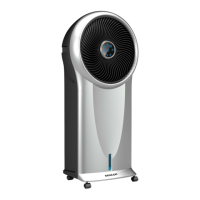
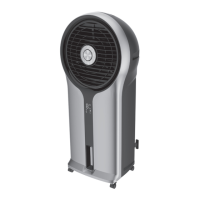
The SENCOR SFN 9014SL is an air cooler designed to cool the air in a room. It operates by drawing warm air from the rear, passing it through a cooling insert that cools and humidifies the air, and then discharging the cooled air into the surroundings via a fan at the front. This appliance is intended for use in household, office, and similar areas, but not for commercial purposes.
This appliance can be used by children aged 8 and older, and by individuals with physical, sensory, or mental impairments, or those with a lack of experience, provided they are supervised and have been instructed on safe use and potential dangers. Children must not play with the appliance. Cleaning and maintenance should not be performed by unsupervised children. If the power cord is damaged, it must be replaced by a professional service center to prevent hazards; using the appliance with a damaged power cord is forbidden.
The water tank has minimum and maximum level lines. Always ensure the water level is at least at the minimum mark and never exceeds the maximum. Exercise caution when using the appliance as it produces steam. Always disconnect the appliance by unplugging it from the power socket before filling or cleaning. High humidity can promote the growth of biological organisms; therefore, do not allow the area around the appliance to become damp or wet. If humidity increases, reduce the appliance's power. If power cannot be reduced, use the appliance intermittently. Avoid wetting absorbent materials like carpets, curtains, drapes, or tablecloths. Never leave water in the tank when the appliance is not in use. Empty and clean the appliance before storing and before further use.
Do not use the appliance in rooms where flammable or explosive chemicals are stored, in industrial environments, or outdoors. Place the appliance on a clean, flat, dry, smooth, and stable surface, avoiding unstable surfaces such as long-pile carpets. Keep the appliance away from open flames or heat sources. Do not use the appliance to support other items.
Before connecting, verify that the nominal voltage on the rating label matches the electrical voltage of the socket. Connect the appliance only to a grounded, freely accessible power socket for quick disconnection. Route the power cord to prevent tripping. If the appliance has castors, exercise caution to prevent it from falling or sliding on sloping surfaces; do not roll castors over carpets to avoid tipping. Do not touch the appliance with wet hands. Do not use the appliance near showers, swimming pools, or spray water/liquids on it, nor submerge it. Do not cover air inlet/outlet openings or insert objects into them, as this could damage the appliance. Ensure adequate space for air circulation during operation.
Do not use the appliance without the water or dust filter properly installed. Fill the tank only with clean, cold water; do not add air fresheners, essential oils, or other additives, as this may damage the appliance. Do not fill above the maximum level. Before operating in cooling and humidifying mode, ensure the water level is at least at the minimum. Use the appropriate button on the control panel or remote control to switch off the appliance; do not disconnect by pulling the power cord. For health reasons, avoid prolonged exposure to direct cold air for yourself or animals. Always switch off and unplug the appliance before assembling, disassembling, filling, cleaning, or moving it. Perform cleaning according to the "Cleaning and Maintenance" chapter. Move, store, and transport the appliance in an upright position. Do not attempt to remove the outer case. Unplug the appliance by pulling the plug, not the power cord, to avoid damage. Do not use the appliance if it is not working correctly, is damaged, or has been submerged in water. All repairs and adjustments must be performed at an authorized service center to avoid injury from electrical shock and to maintain legal rights regarding faulty performance or warranty.
Place the appliance on an even, dry, and stable surface within reach of a grounded power socket. Ensure a clear space of at least 30 cm on all sides for sufficient air circulation.
To switch on, insert the mains cord plug into a power socket. An audible warning sounds, and the air cooler enters standby mode. Briefly press the On/Off button to switch it on. It will start by default with low fan speed (fan mode indicator light on, "1" on numeric display), normal operating mode (no operating mode indicator light), and other indicator lights off. If it's the first use, fan speed will be medium for 3 seconds, then switch to low. If switched on from standby and the last speed was slow, it will be medium for 3 seconds, then switch to low. To switch off, press the On/Off button; an audible warning sounds, and the air cooler enters standby mode. For complete shut-off, disconnect from the mains socket. When switched off to standby, the last settings (except timer, sleep mode, and drying function) are stored. If disconnected from mains, it will start by default when switched on again.
Use the fan speed button to set the desired fan speed: 1 (low), 2 (medium), or 3 (high). The fan indicator light will illuminate regardless of the set speed.
Before starting this mode, fill the water tank as described in "FILLING THE WATER TANK." Press the cooling and humidifying mode button to turn it on. The indicator will light up, and the pump will start. Use the fan speed button to adjust the fan speed. For the first 3 minutes, only speeds 1 (low) and 2 (medium) are available; after 3 minutes, high speed will also be available. If the cooler is switched to cooling and humidifying mode at a high speed setting, this speed is maintained even after switching to the mode. Turn off the cooling and humidifying mode by pressing the button; the indicator light goes out, and the pump stops.
Warning: If the air cooler detects a lack of water, or if the water tank is removed or not inserted, the cooling and humidifying mode will automatically switch off after a short while to prevent pump damage, and an audible warning (5 short beeps) will sound. To increase cooling efficiency, place the supplied cooling boxes, pre-cooled in the freezer, into the left side of the water tank. Otherwise, the water pump could be damaged.
Press the operating mode button repeatedly to select the mode in this order: normal mode – natural breeze mode – sleep mode. For natural breeze and sleep modes, the corresponding indicator light will illuminate; for normal mode, no operating mode light will illuminate.
In sleep mode, the fan speed on the numeric display changes as the fan speed switches.
Set the duration for which the air cooler will run before switching off and entering standby mode. Press the timer button to activate it. "0" flashes on the numeric display, and the 'h' indicator light comes on. Press the timer button repeatedly to set the timer from 0 to 9 hours. The numeric display shows the timer value. Press any button (except the timer button) or wait about 5 seconds to store the timer. The countdown starts, and the numeric display alternates between the timer time and the set fan speed. After the timer period, the air cooler switches off and enters standby mode.
Press the rotation button, and the front protective grille will slowly rotate. The indicator light comes on. To stop rotation, press the rotation button again; the indicator light will go out.
The drying function is used to dry the cooling insert, for example, before storing the air cooler for an extended period. While the air cooler is on, press and hold the drying function button for 3 seconds to activate it. The fan speed will automatically change to high speed, and the function will run for 20 minutes. The air cooler then automatically switches off and enters standby mode. Settings cannot be changed during this time, except for the On/Off button. If the air cooler is switched off during the drying period and then switched on, the appliance will restart the drying function from the beginning.
While the air cooler is in operation, press the display backlight button to turn off the display backlight. To turn the display on, press the display backlight button or any other button (the setting will not be switched). Any button dims the display brightness to 33% of its original brightness after 1 minute; pressing it again restores original brightness.
The appliance has an automatic shut-off function after 15 hours of continuous operation if no control buttons are pressed. To turn this function off, press and hold the button for 3 seconds (three short beeps). To turn it back on, press and hold the button for 3 seconds (three short beeps).
The functions of the buttons on the remote control and the control panel are identical. Point the remote control at the signal receiver at the front of the cooler under the display. The maximum signal range is 6 m.
Pull out the battery compartment from the bottom of the remote control and insert a 3V CR2032 battery, ensuring correct polarity. If the battery is discharged, replace it with a new one of the same type. If not using the remote control for an extended period, remove the battery to prevent leakage and damage. Never put batteries in fire, short-circuit, or damage them. Dispose of used batteries environmentally at designated collection points, not in municipal waste.
Before filling, turn off the air cooler, disconnect it from the power socket, and secure the castors.
Disconnect the power plug from the power socket before cleaning. Do not use abrasive cleaning agents, solvents, or substances that could damage the appliance surface. To prevent electric shock, do not submerge the appliance, plug, or power cord in water or any other liquid.
If not using the appliance for an extended period, unplug it from the mains socket and clean it according to the "Cleaning and Maintenance" instructions. Before storing, ensure the appliance and all accessories are thoroughly clean and dry. Remove the battery from the remote control. Store the appliance in a dry, clean, and well-ventilated place away from extreme temperatures and out of reach of children or pets.
Batteries contain environmentally damaging compounds and should not be disposed of in standard municipal waste. Take used batteries to a designated battery collection point for proper disposal.
Dispose of used packaging material at a site designated for waste in your municipality.
This symbol indicates that used electrical and electronic products should not be disposed of with regular municipal waste. For proper disposal and recycling, take these products to designated collection points. In some European Union states or other European countries, products can be returned to the local retailer when buying an equivalent new product. Correct disposal helps save valuable natural resources and prevents environmental damage from improper waste disposal. Contact local authorities or collection facilities for more details. National regulations may impose penalties for incorrect disposal.
 General
| Brand | Sencor |
|---|---|
| Model | SFN 9014SL |
| Category | Air Conditioner |
| Language | English |

 To Next Page