4 EN
EN
Copyright © 2017, Fast ČR, a.s. Revision 09/2017
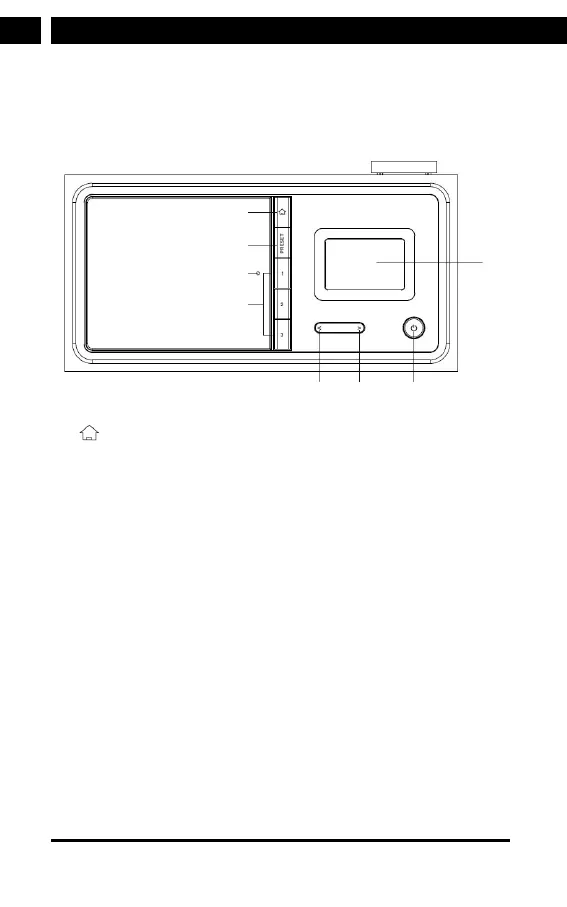
Appearance and Key Description
Front View
1
2
3
4
56 7
8
1 Button
Press to return to the main menu
2 PRESET button
Press and hold to save the stations.
3 Remote control sensor
4 Preset 1, 2, 3
5 < Left cursor / Previous button
6 > Right cursor / Next button
7 Power on/Standby button
8 2.4” TFT full color display



 To Next Page