English
3
Remote Control
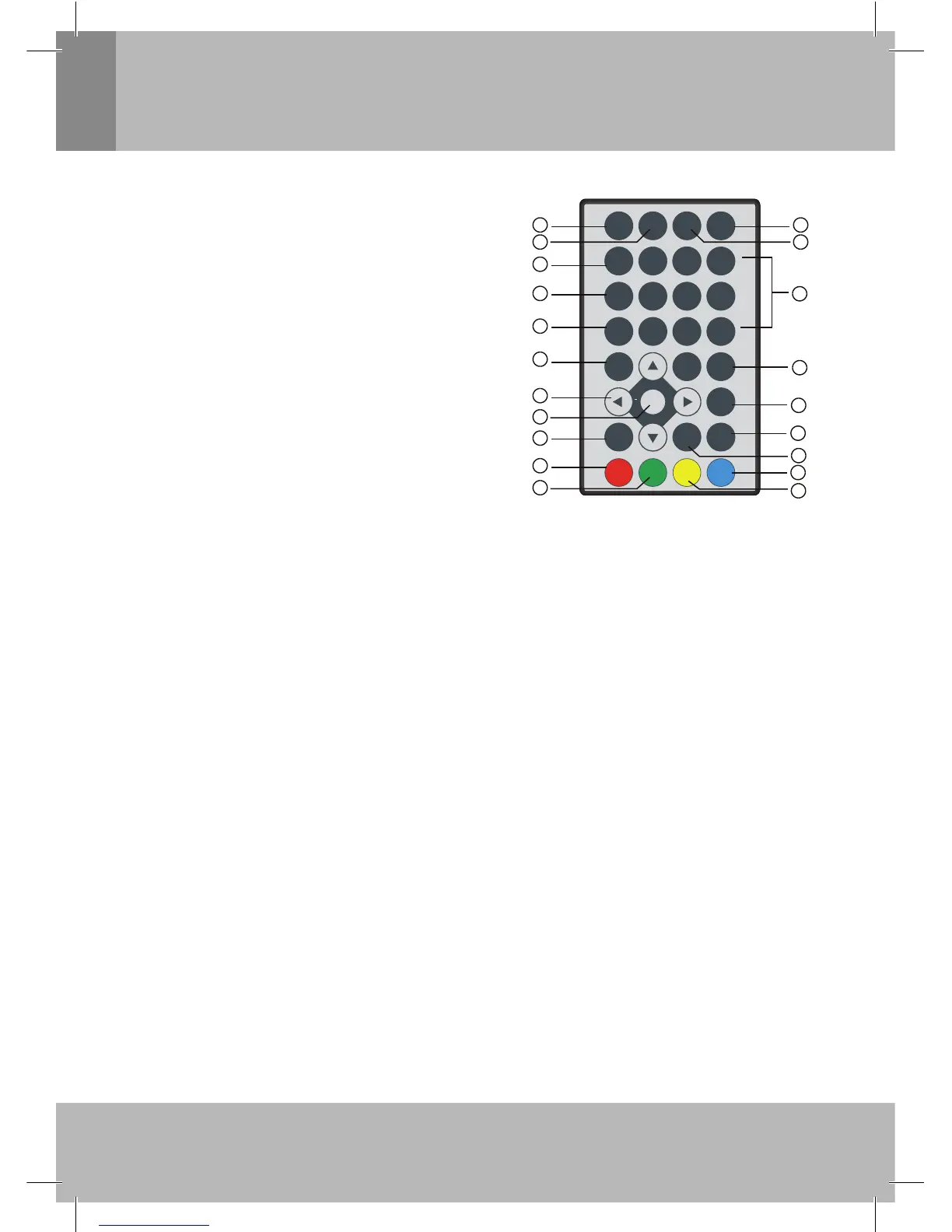
Remote Key Function:
1. DVB/AV: Used to switch between digital TV and
external A V.
2. INFO: Used to display information about the channel
being viewed, or special function indicated on the
menu.
3. NUMBER KEYS: Used to select channel numbers or
input numbers in menus.
4. AUDIO: Used to exchange the audio language or the
audio track.
5. TEXT: Used to open teletext OSD display if teletext
available in the broadcasted stream.
6. SUBTITLE: Used to switch between different subtitles
that are broadcasted.
7. EXIT: Used to return to the previous screen or menu.
8. ASPECT: Used to adjust aspect (16:9 or 4:3) of the
screen when there is no menu on the screen.
9. SPEAKER: Used to close or open the speakers output
when there is no menu on the screen.
10. MUTE: Used to turn the sound on or off.
11. EPG: Used to display the Electronic Program Guide menu window.
12. PAUSE: Used to pause or playback the program being viewed.
13. FAVORITE: Used to access your favourite channels.
14. TV/RADIO: Used to switch between TV channels and Radio stations.
15. RECALL: Used to switch between the last two viewed channels.
16. Navigate (Right) the menu screens or increase the volume.
Navigate (Left) the menu screens or decrease the volume.
CH+: Used to move around the menu screens or select the channels in non-menu state.
CH-: Used to move around the menu screens or select the the channels in non-menu state.
17. OK: Used to confi rm a selection in a menu.
18. MENU: Used to open the main menu window.
19. FUNCTION: Used to adjust the brightness/contrast/color/hue parameter of TFT screen when there is
no menu on the screen.
20. SCREEN: Used to close or open the TFT screen backlight when there is no menu on the screen.
Note:
1. SUBTITLE/LANGUAGE/TEXT may not available for all channels.
2. A/V output is not available when the unit is working in AV in mode, it only works in DTV mode.
3. FUNCTION/SCREEN/SPEAKER/ASPECT will act as RED/GREEN/YELLOW/BLUE key when osd
menu is on the screen.
MUT E
IN F O DV B /AV
AUDIO
0
7
89
4
5
6
12
3
TV/RADIO
PAU SE
EPG
SUBTITLE
FAV
ME N U
EXIT
FUNCTION SPE AKE R ASPECT
CH+
CH-
OK
RECALL
TTX
SCREEN
VOL
+
VOL
1
2
3
4
5
6
7
8
10
11
12
13
14
15
16
17
18
19
20
9


 To Next Page
 Loading...