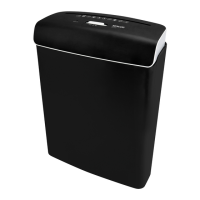
This document is the user manual for the Sencor SSK 482 Cross Cut CD and Paper Shredder.
Function Description
The Sencor SSK 482 is a paper shredder designed for shredding paper, CDs, and credit cards. It is intended for private use and not for commercial purposes. The device operates with a cross-cut method, ensuring secure shredding of sensitive information. It features separate feed slots for paper/credit cards and CDs, as well as distinct waste bins for each type of shredded material to facilitate proper disposal. The shredder automatically switches on when material is detected in the feed slot and stops after processing. A safety switch prevents operation if the waste bin is not correctly inserted or if the main unit is lifted.
Important Technical Specifications
- Model: SSK 482
- Colour: Black
- Input voltage: AC 220-240 V / 50 Hz
- Power rating: 300 W; 1.3 A
- Protection class: II (double insulated)
- Safety class: 4 (to DIN 66399)
- Weight: Approx. 5.4 kg
- Dimensions (W x D x H): 340 x 210 × 445 mm
- Working width: 220 mm (A4)
- Cutting method: Cross cut
- Cutting speed:
- Approx. 2 m/min for one 80 g/m² sheet
- Approx. 1.5 m/min for ten 80 g/m² sheets
- Approx. 1 m/min for one credit card
- Approx. 3.5 m/min for one CD
- Bin volume: 14 L (Paper / credit card)
- Max. cutting capacity per cycle: 10 sheets (80 g/m²), 1 credit card, 1 CD
- Strip dimensions: 5 × 16 mm
- Continuous operation time: 3 min.
- Idle time: 60 min.
- Decibel: Approx. 70 dB
Usage Features
The SSK 482 is designed for ease of use with several user-friendly features:
- Slide Switch (AUTO / OFF / REV): Allows the user to select automatic operation, turn the device off, or reverse the cutting direction to clear jams.
- Automatic Operation: The shredder automatically starts when paper, a credit card, or a CD is inserted into the respective feed slot, thanks to built-in detection sensors. It then stops automatically after processing.
- Separate Feed Slots: Dedicated slots for paper/credit cards and CDs prevent mixing of materials during shredding and ensure optimal performance for each type.
- Separate Waste Bins: The device includes a CD waste bin that fits inside the larger paper/credit card waste bin, allowing for easy separation and disposal of different shredded materials.
- Castors: Equipped with castors, two of which have locking levers, for easy movement and secure positioning of the shredder.
- Overload Protection: The shredder automatically switches off in case of overload to prevent motor damage. It requires a cooling period before restarting.
- Jam Clearing (REV function): In case of a paper, CD, or credit card jam, the reverse function can be used to discharge the material from the feed slot.
- Safety Switch: Ensures the shredder only operates when the main unit is correctly positioned on the base unit and the waste bin is fully inserted.
Maintenance Features
Proper maintenance is crucial for the longevity and safe operation of the Sencor SSK 482:
- Regular Waste Bin Emptying: Users are instructed to empty the waste bins at regular intervals to prevent overfilling, which could lead to shredded material being drawn into the cutting unit from underneath.
- Cleaning the Cutting Unit: Residues of shredded paper, credit cards, and CDs should be regularly removed from the underside of the cutting unit using a suitable tool (e.g., a brush). It is important not to touch the cutting unit with fingers due to sharp parts.
- Exterior Cleaning: The exterior of the shredder can be cleaned with a dry or slightly moist, well-wrung cloth, followed by thorough drying. Aggressive cleaners, brushes with metal or nylon bristles, or sharp metallic cleaning utensils should not be used to avoid damaging the surfaces.
- Cooling Down: After continuous operation (max. 3 minutes), the shredder requires a 60-minute idle time to cool down to room temperature before restarting, preventing damage from overheating.
- Storage: When not in use for an extended period, the shredder should be switched off, unplugged, cleaned, and stored in a clean, dry location away from children.
- Safety Precautions during Maintenance: Always switch off the paper shredder and unplug the power cord before cleaning or performing any maintenance to prevent electric shock and injury. The cutting unit can be hot after operation, so allow it to cool down.
- No Disassembly: Users are explicitly warned not to disassemble the paper shredder for cleaning or storage, and repairs should only be performed by qualified professionals to avoid electric shock and voiding the warranty.



 To Next Page
 General