EN - 11
11. When not in use
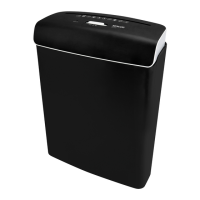
If you will not be using the paper shredder for an extended period of time, proceed as follows:
1. Set the slide switch 4 to the OFF positon.
2. Unplug the power cord 1 from the socket.
12. Cleaning and maintenance
WARNING!
Risk of electric shock!
An incorrect operation may result in an electric shock.
- Always switch off the paper shredder and unplug the power cord before cleaning.
CAUTION!
Risk of injury!
Cleaning the paper shredder improperly may result in injury.
- The paper shredder will get hot during operation. Allow the paper shredder to cool down
completely before cleaning.
- Do not touch the cutting unit with your fingers.
- Never disassemble the paper shredder for cleaning or storage.
NOTICE!
Risk of short circuit!
Water that has penetrated the housing may cause a short circuit.
- Make sure that no water or other fluids penetrate the housing.
- Never immerse the paper shredder and power cord in water or other fluids.
NOTICE!
Risk of damage!
Improper handling of the paper shredder may result in damage.
- Do not use any aggressive cleaners, brushes with metal or nylon bristles, sharp or metallic
cleaning utensils such as knives, hard scrapers and the like. They could damage the surfaces of
the paper shredder.
1. Set the slide switch 4 to the OFF position and unplug the power cord 1 from the socket.
2. To clean the exterior of the paper shredder, use a dry, or slightly moist, wellwrung cloth and then
thoroughly dry all parts.
3. For trouble-free operation, regularly and carefully remove any remaining scraps of paper, credit
card, or CD residues from the bottom of the main unit 5. Use a suitable tool (e.g. brush) for this
purpose. Do not touch the cutting unit with your fingers. Never disassemble the paper shredder
for cleaning.



 To Next Page