PT300 QuickStart Guide
Part Number BFA10068 (for Verizon)
-- 3 --
Step 3: Airtime Account
In order for your device to operate and
communicate properly, you need to have a
machine-to-machine (M2M) airtime account
set up. If you don’t have an account, please
contact your Verizon representative and
provide them the ‘Device Identifier’ number of
your device.
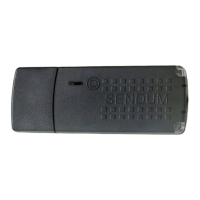
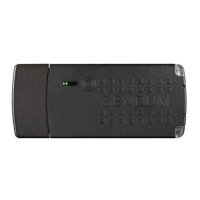
The Device Identifier is device-specific
serial number found on the back of the
PT300 Command Module (see “Figure
2 - Locating the PT300 Device ID”
on page 2). This identifier is also
known as ESN, MEID, or IMEI.
What’s needed is an M2M airtime account with
SMS texting capability. Typical data plan sizes
are 1 MB, 5 MB, and 10 MB (with the 5 MB
plan being a popular choice).
Step 4 - Provision
Provisioning is a one-time, secure,
and anonymous process in which your
PT300 links with both the Verizon
network and the Sendum device
software to communicate registration
information and initiate operation of
the device.
The process for provisioning your device for
Verizon service is simple:
a) Turn on your PT300 (see “1. Turning
on your PT300” on page 5). This
step initiates communication with both
the Verizon wireless network and with
Sendum.
b) While communicating, both the Network
and Battery LEDs should go on and off
periodically. (See “3. LED Lights and
Status Button” on page 6.)
c) When complete (about a minute), both
Network and Battery lights will go solid
green (indicating success).
d) Unplug the PT300 Command Module
from your pack. This ensures the device
is power-cycled, a necessary step before
the device can be operational.
e) The final step to provisioning is to make
at least one configuration change for
your device. Please refer to “Step 5 -
Web Access” and “Step 6 - Configure”.
You can also learn the Provisioning
process by watching our video at
www.sendum.com/pt300av


 To Next Page
 Loading...