Maintenance and cleaning
12
Calibration
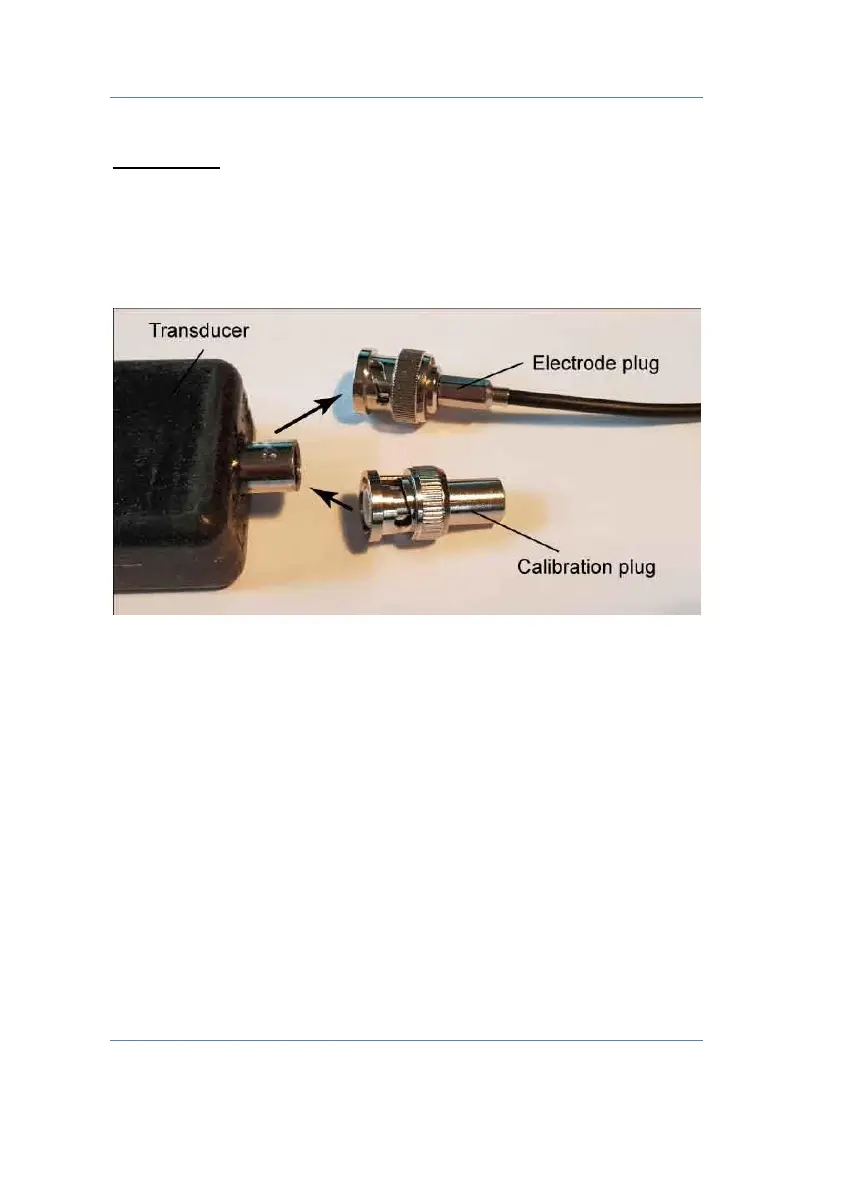
1. Unplug the electrode and plug in the BNC calibration
plug. Select in the menu „Sensor calibration / ORP /
Calibration Point 1“ and press OK or wait 120 s.
2. Remove the calibration plug and plug in the ORP
electrode.
3. Rinse the electrode under clean tab water. Dip the
electrode into a vessel containing the +475 mV
calibration solution.


 To Next Page