15 - ENWWW.SENIXTOOLS.COM
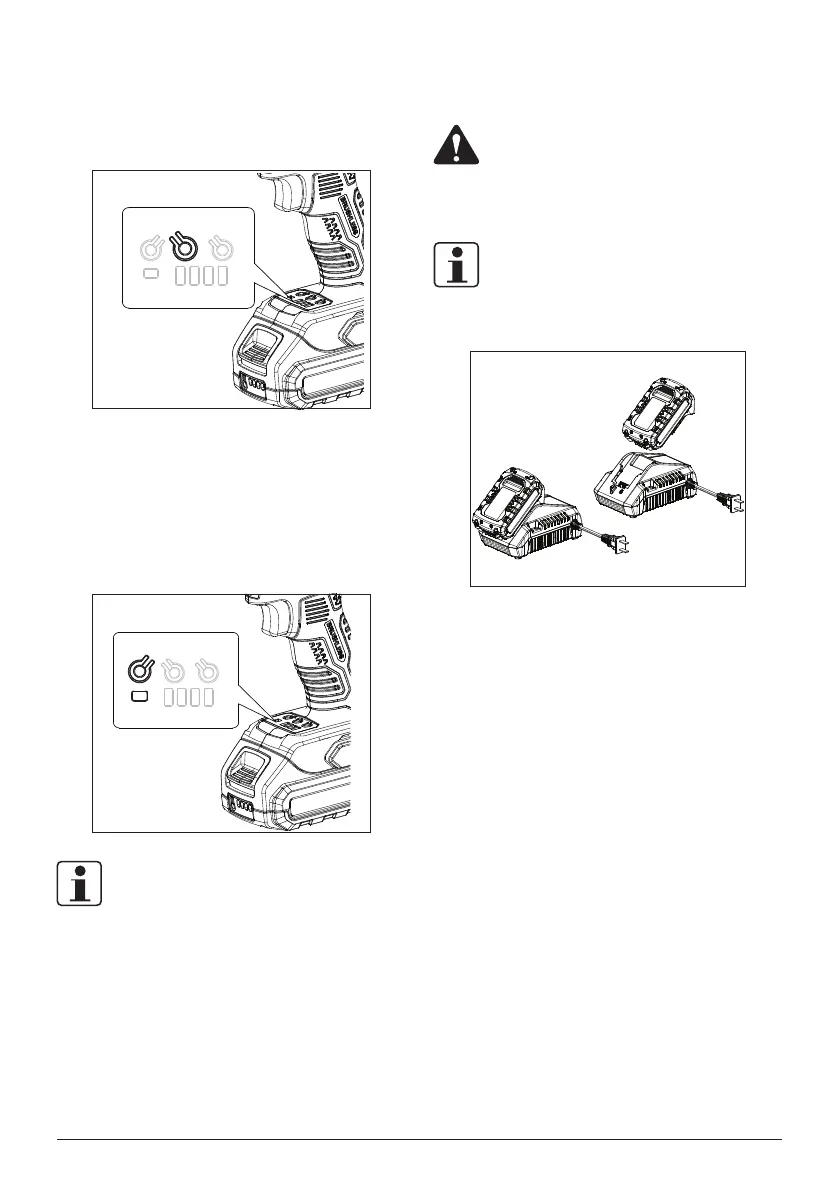
WORK LIGHT
The driver is designed with a work light controlled by button
2 for providing sufcient brightness around driving bit.
REVERSAL AUTO STOP
Press the button 3 to enable or disable auto stop under
the reverse mode. The indicator shows green when it is
activated and the tool stops automatically after bolts/nuts
get enough loosened for preventing bolts/nuts from falling
off.
NOTE:
Reversal auto stop only can be turned on when the tool is
used for loosing purpose.
HOW TO CHARGE THE BATTERY
PACK
WARNING:
This Lithium-Ion battery pack is shipped partially
charged. Fully charge the battery pack before
using it for the first time.
NOTE:
Charging batteries at a ambient temperature of 32°F(0°C)-
104°F(40°C).
1. Charge the Lithium-Ion battery pack only with the
correct charger.
2. Connect the charger to a power supply, the light
indicator of the charger turns red.
3. Align the raised ribs of the battery pack with the slot in
the charger.
4. Insert the battery pack into the charger, the light
indicator of the charger turns green and it ashes.
5. The charger will communicate with the battery pack to
evaluate the condition of the battery pack.
6. It is fully charged that the four lights of the battery turn
on. Disconnect the power supply from the charger.
Remove battery pack from the charger.



 To Next Page