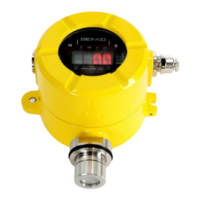
SI-200 USER MANUAL
CONTENTS
1. Product Overview .................................................................................................. 5
1.1. Introduction ........................................................................................................ 5
1.2. Key Feature ....................................................................................................... 5
1.3. Specification ...................................................................................................... 5
1.4. Sensor List ......................................................................................................... 6
1.5. Outline ............................................................................................................... 7
2. Appearance and Description ............................................................................... 7
2.1. Component ........................................................................................................ 7
2.2. Front Display Configuration .............................................................................. 9
2.3. Bracket Dimensions ........................................................................................ 10
3. How to install ....................................................................................................... 11
3.1. Separation of detector body and cover .......................................................... 11
3.2. Power, RS485, 4-20 mA Terminal configuration ............................................ 12
3.2.1. DC Terminal ......................................................................................................... 12
3.2.2. RS485 Terminal ................................................................................................... 12
3.2.3. 4-20mA Terminal ................................................................................................. 12
3.2.4. 4-20mA wiring method example .......................................................................... 13
3.3. Alarm Terminal Configuration ......................................................................... 13
3.3.1. Fault Relay Output Configuration ........................................................................ 13
3.3.2. Low Relay Output Configuration.......................................................................... 13
3.3.3. High Relay Output Configuration ......................................................................... 13
3.4. Ground Connection Configuration .................................................................. 14
4. Operation .............................................................................................................. 15
4.1. Default Configuration ...................................................................................... 15
4.2. Power On ......................................................................................................... 15
4.3. Measure Mode ................................................................................................ 16
4.4. Internal Settings .............................................................................................. 16
5. System Mode ....................................................................................................... 17
5.1. Mode Configuration ......................................................................................... 17
5.2. Menu Configuration ......................................................................................... 17
5.3. Setting / Configuration Munu .......................................................................... 18
5.4. Setting / Measurement Munu .......................................................................... 22
5.5. Setting / Calibration Menu ............................................................................... 23
5.6. Setting / Alarm Menu ....................................................................................... 24
6. Problem Solving .................................................................................................. 26
6.1. Error Code ....................................................................................................... 26
7. Interface Configuration ...................................................................................... 27
7.1. RS485 Interface Setting .................................................................................. 27
7.2. Modbus RS485 / TCP Register ...................................................................... 27
7.2.1. 3000X Register Read .......................................................................................... 27
7.2.2. 4000X Register Read .......................................................................................... 28
7.2.3. 4000X Register Write ........................................................................................... 30


 To Next Page
 Loading...