12
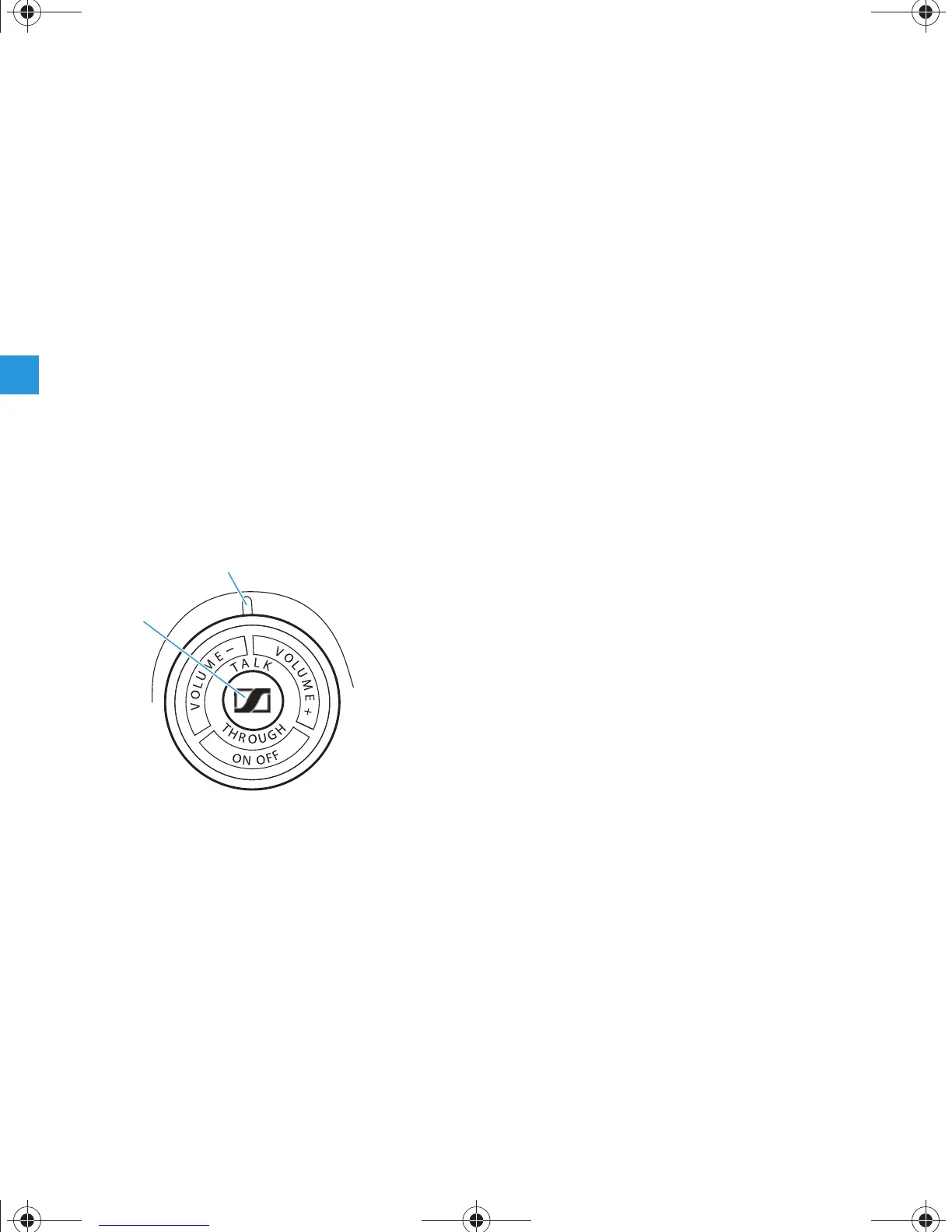
Switching TalkThrough function on and off
The PXC 450 provides excellent damping of ambient
noises. However, to enable you to be able to
communicate with your environment unhindered
while wearing the headphones, the PXC 450 has a
TalkThrough function.
The following prerequisites must be fulfilled for the
TalkThrough function:
y a battery or rechargeable battery is inserted,
y NoiseGard is switched on and
y the normal/bypass sliding switch is in the “nor-
mal“ position (see page 10).
To switch the TalkThrough function on/off:
왘 Briefly press the TalkThrough button .
The LED display lights green if the TalkThrough
function is switched on.
Note:
You cannot adjust the volume of the TalkThrough
signal.
PXC450_517600_0806_SP6.book Seite 12 Donnerstag, 13. September 2007 10:26 10







 To Next Page