Using the headphones
26 | ACCENTUM PLUS
Listening to music using the headphones
You can listen to music when the headphones and your audio source
are connected via Bluetooth (> 14), the audio cable (> 32) or via USB
(> 34).
Controlling music playback
The following music functions are only available when the head-
phones and the device are connected via Bluetooth or USB. Some
smartphones or music players may not support all functions.
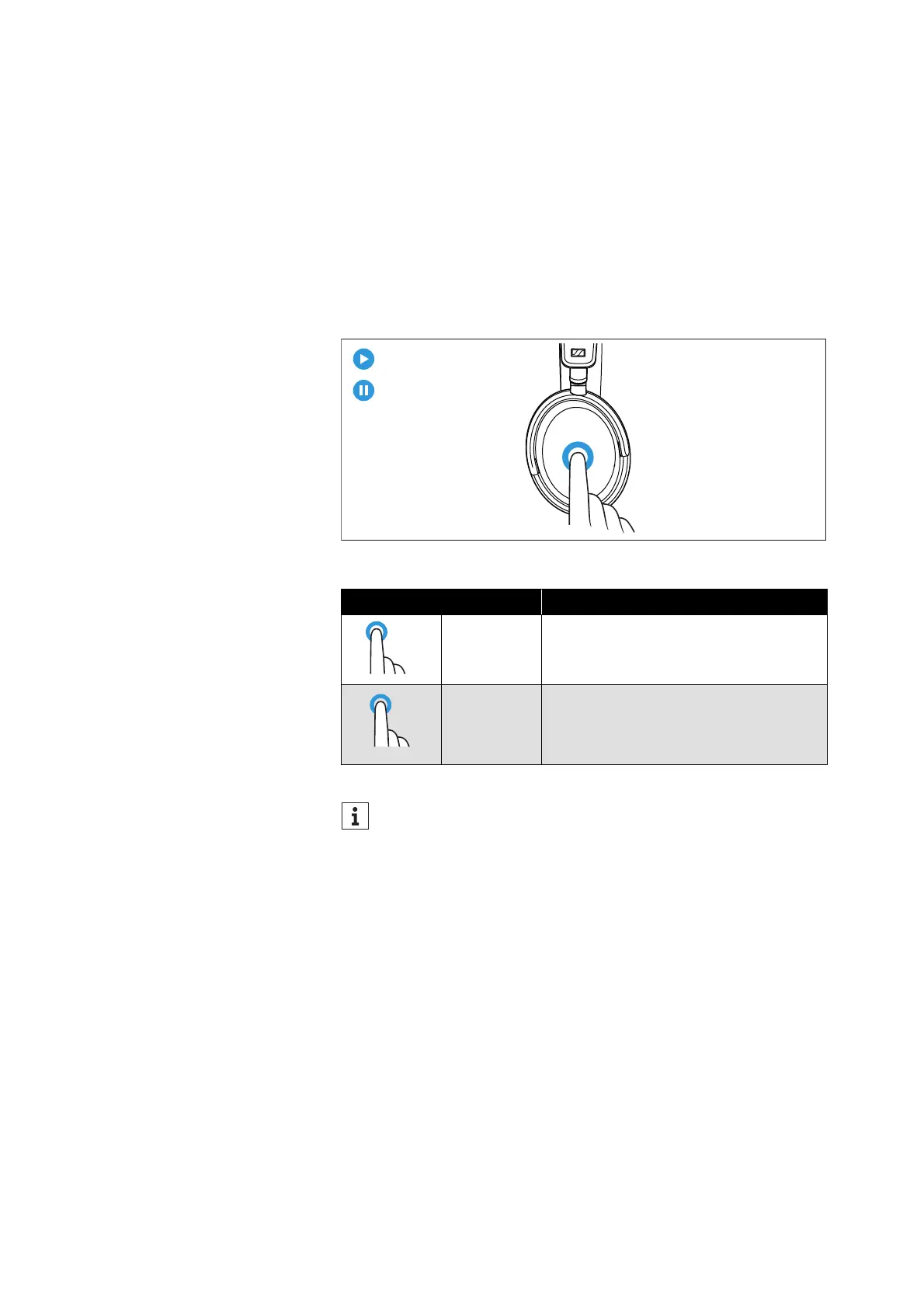
▷ Tap the touch pad.
Touch gesture Function
Tap 1x Plays or pauses music
Tap 2x
Pauses music and switches to idle
mode (in the Smart Control app, the
intensity of the Transparency Mode
can still be adjusted: > 23)
If music playback does not start:
• Check if the playback pause is activated in the Transpar-
ency Mode (> 25) and deactivate the function if necessary.
• Start the music playback app on your Bluetooth device.











 To Next Page