Using the headphones
28 | ACCENTUM PLUS
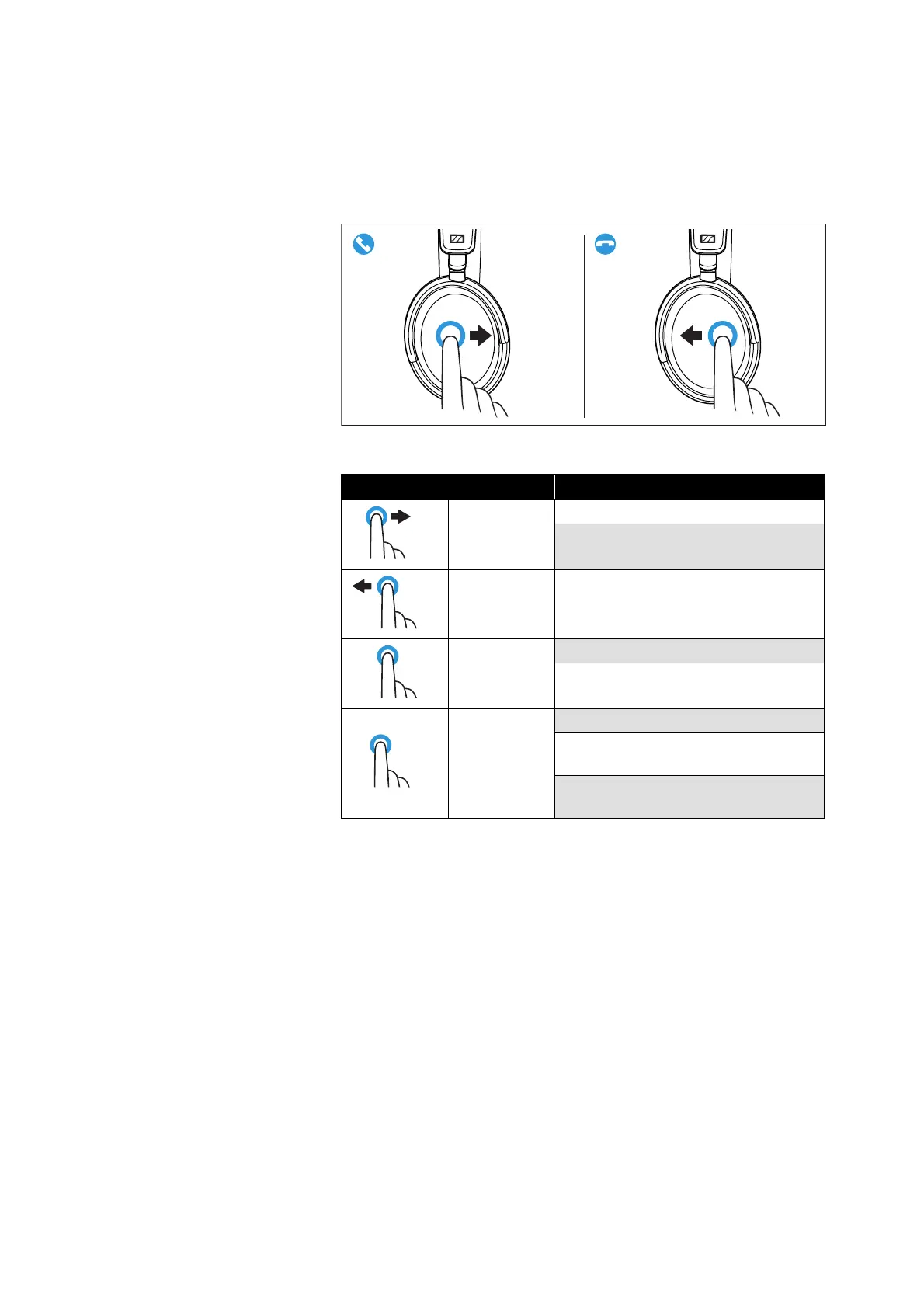
Accepting/rejecting/ending a call
If your headphones are connected to a smartphone and you receive
a call, you hear a ring tone in the headphones.
If you are playing music when you receive a call, the music pauses
until you end the call.
▷ Use the touch pad:
Touch gesture Function
Swipe for-
ward
Accepts a call
Accepts an incoming call and ends
the active call
Swipe back-
ward
Ends a call
Press for
2sec
Rejects a call
Rejects an incoming call and ends
the active call
Tap 2x
Puts an active call on hold
Accepts an incoming call and puts
the active call on hold
Toggles between active call and call
on hold












 To Next Page