Using the headphones
34 | ACCENTUM PLUS
Connecting the headphones using the
audio cable
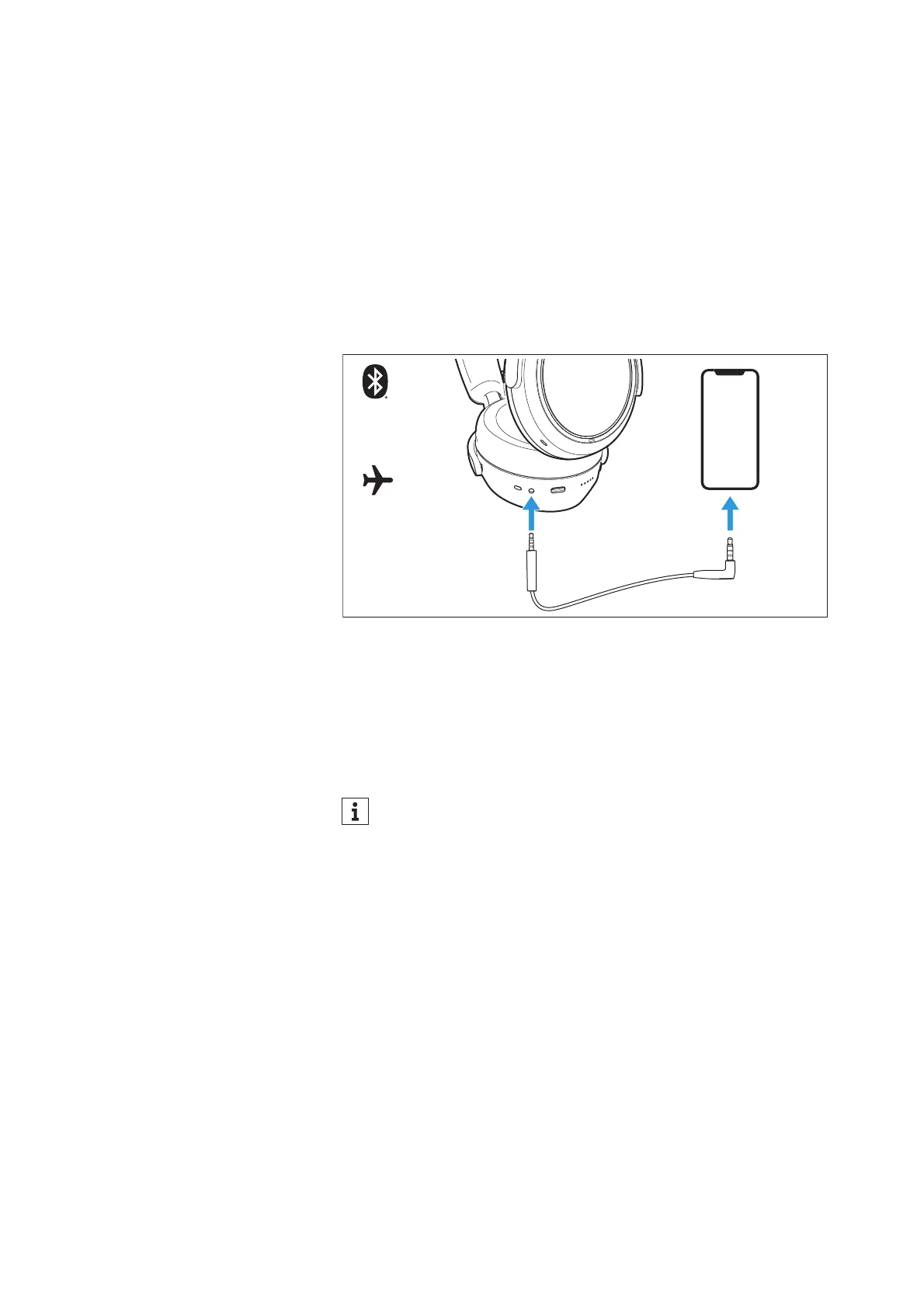
▷ Connect the 2.5 mm jack plug of the audio cable to the head-
phones’ audio socket.
Flight mode is activated and the Bluetooth wireless connection is
deactivated.
▷ Connect the 3.5 mm jack plug to the audio output of your smart-
phone.
To disconnect the audio cable:
▷ Carefully disconnect the jack plug from the headphones.
Connecting the headphones using the
USB cable
When you connect the headphones to a Mac/PC/mobile device
using the supplied USB cable, you can play audio content from your
Mac/PC/mobile device directly through the headphones.
Setting up the headphones as the default audio output and audio
input device for your Mac/PC/mobile device
▷ Make sure that possible Bluetooth connections are disconnected.
▷ Connect the headphones and the Mac/PC or mobile device via
the USB cable.
The headphones are charged via the USB connection.
▷ From the Systems Preferences or Control Panel of your Mac/PC/
mobile device, select “ACCENTUM PLUS” as the default audio
playback device and/or default audio recording device.
▷ Start music playback from the Mac/PC/mobile device.
The music is played through the headphones and the microphone
is used for recording.
The headphones are automatically charged when you connect
them to a Mac/PC/mobile device using the USB cable.











 To Next Page