Menu
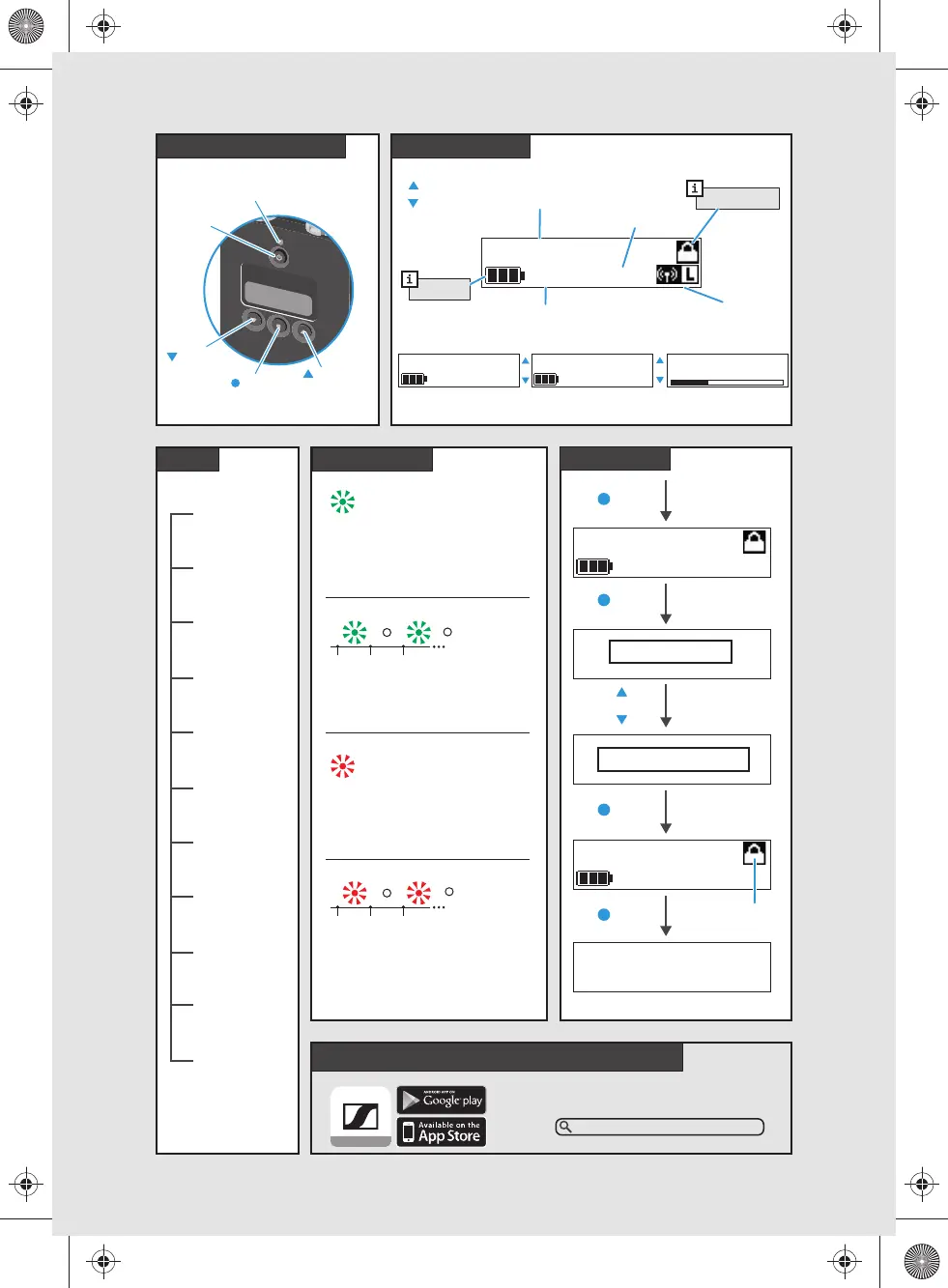
Operating elements
LED Status
Auto Lock
Home screens
Digital 6000 System Instruction Manual
6:30
Sennheiser Documentation App
or online at
www.sennheiser.com/download
Digital 6000_
AES
637.250 MHz
637.250 MHz
6:30
SK6212
6:30
AUDIO LEVEL
-40
-20
0
-63
SK6212
10:30
LOCKED
TEMP UNLOCK
SK6212
10:30
Frequency
Encryption on
Auto Lock
Battery
UP
DOWN
Operating
Time
Low Power
Mode on
Menus
Frequency Name Audio
ON/OFF
ESC
LED
UP
DOWN
SET
Frequency
Name
Gain
Low Cut
Display
Lock
Test Tone
Power LED
RF Power
Reset
Device Info
ON,
Battery > 30 min
no AF Peak, no RF mute
ON,
Battery ≤ 30 min
no AF Peak, no RF mute
ON,
Battery > 30 min
AF Peak or RF mute active
ON,
Battery ≤ 30 min
AF Peak or RF mute active
ON
ON
SET
Flashing
SET
581342_1018_A01_QG_SK_6212_PRT.pdf 2 25.10.2018 15:14:46



 To Previous Page
 Loading...